
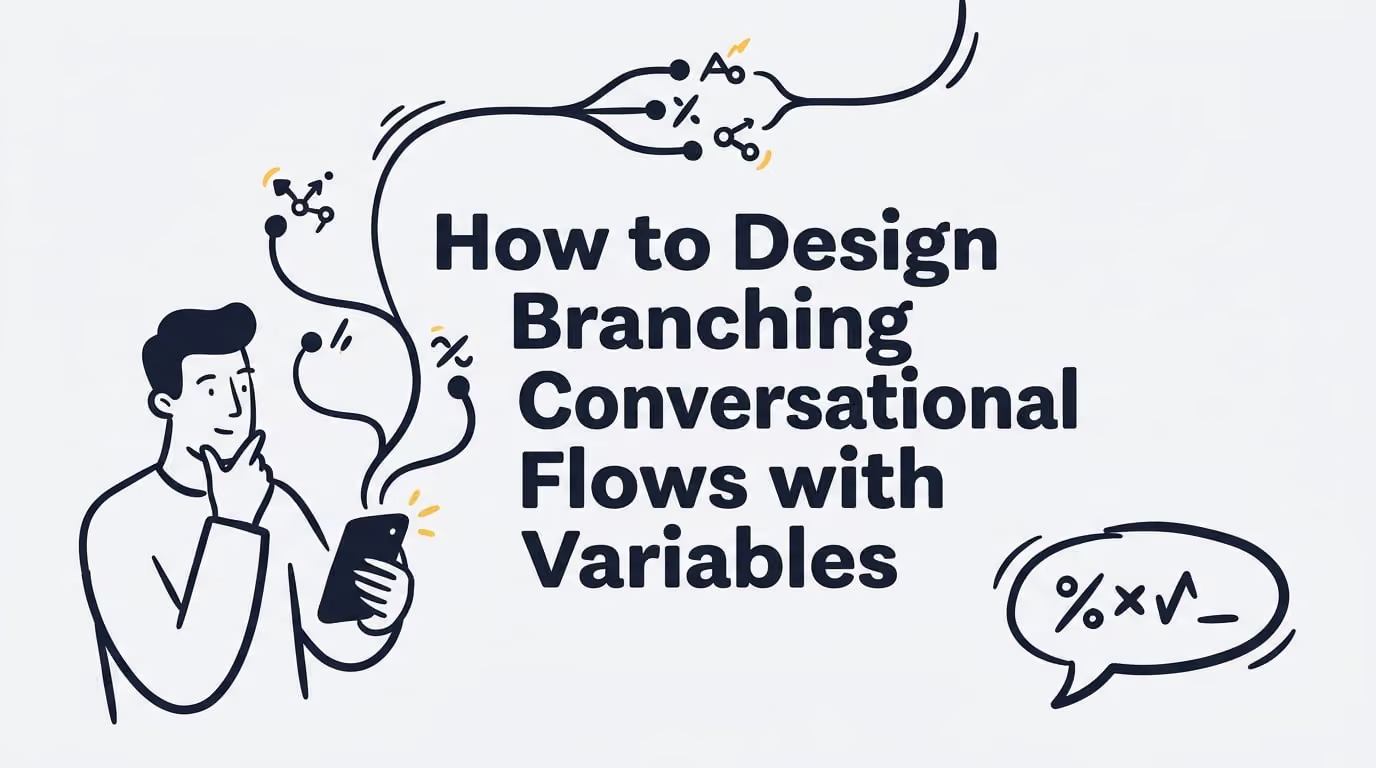
How to Design Branching Conversational Flows with Variables
How to Design Branching Conversational Flows with Variables to build adaptive, context-aware AI agents. Map intents, set conditions, and test paths. Learn more.
IN this article

Evolve with Sigma Mind AI
Build, launch & scale AI agents
Building an AI agent that doesn’t sound like a broken record is the ultimate goal for any developer or designer. Users expect conversations that feel natural, personal, and genuinely helpful. The secret to achieving this isn’t magic; it’s a methodical approach to design. To design branching conversational flows with variables, you must first map out the key decision points in a conversation, then use variables to store user input and other data, and finally apply conditional logic to route the dialogue down different paths based on that stored information. This guide explains exactly how to design branching conversational flows with variables to transform a rigid script into a dynamic, responsive experience that solves real problems.
We will walk through the entire process, from mapping out the logic to handling unexpected user inputs, so you can build AI agents that people actually want to talk to.
Understanding Branching Logic and Decision Points
At its core, a great conversational AI is built on a solid foundation of logic. Instead of a single, linear path, the conversation should adapt based on what the user says and needs.
Branching Logic Design
Branching logic is the backbone of any interactive conversation, working like a decision tree. Instead of a one size fits all script, the dialogue is dynamic. At certain moments, the bot decides between multiple possible next steps. Each branch represents a different route the conversation can take, allowing it to feel more responsive and intelligent. This structure gives clarity to the conversation, making it easier for users to follow along and understand the bot’s responses.
Decision Point Design
A decision point is any moment where the user has multiple choices that can steer the conversation. Designing these points means identifying these forks in the road and planning a response for each one. For example, when a banking bot asks, “How can I help you today?”, the user’s answer (“check balance,” “transfer money,” “report fraud”) is a critical decision point. Visualizing each decision point helps you anticipate user interactions and ensure no query leads to a dead end.
The Role of Variables in Conversation Design
If branching logic is the skeleton, variables are the brain. They provide the memory that makes a conversation feel coherent and intelligent.
Variable Management and Maintaining Context
Variable management is how your bot creates, stores, and updates information during a conversation. These variables act as memory slots, holding everything from the user’s name to an order status retrieved from an API. Without them, the bot has no short term memory and can’t remember what a user said just moments before.
Properly managing variables is key to maintaining conversation context. When a bot remembers what was said earlier, the interaction feels more natural and trustworthy. In fact, 46% of consumers say the most frustrating thing is having to start a conversation all over again with a human agent after talking to a bot. This is foundational for AI to deliver helpful, human like service. A bot that forgets context is the digital equivalent of talking to someone with amnesia, which quickly frustrates users.
Setting a Variable from User Input
The most direct way a bot learns is by setting a variable from user input. When the bot asks a question like, “What’s your order number?”, it captures the user’s answer and stores it in a variable (e.g., order_number). This stored piece of information is then available for use later in the flow, allowing the bot to perform actions like looking up an order or personalizing a response.
Global Prompt Context
Beyond single pieces of data, you can use a global prompt context to provide information that influences the bot’s behavior throughout the entire conversation. This could be a system prompt defining the AI’s persona (“You are a friendly and helpful support agent”) or user profile data like their membership level. This global information persists across different turns, ensuring the bot’s responses remain consistent and contextually aware.
How to Design Branching Conversational Flows with Variables in Practice
With the fundamentals in place, let’s look at the practical steps for building these dynamic flows. Knowing how to design branching conversational flows with variables is a process of combining user intent, conditional logic, and clear responses.
Starting with Intent: Routing the Conversation
Most non linear conversations begin with intent classification. This process uses Natural Language Processing (NLP) to figure out what the user wants based on what they say. For example, “Where is my package?” and “Can I get a shipping update?” would both be classified under the CheckOrderStatus intent. Once the intent is identified, the system routes the conversation to the correct flow, making it the first and most important branch in the dialogue. For sales intake, route to a lead qualification flow to fast‑track routing and handoffs.
Using Condition Nodes to Create Branches
A condition node is a specific point in the flow that evaluates one or more rules to decide which path to take. This is the direct implementation of branching on a variable condition. The node checks if a certain condition is true, such as user_type == "new_customer" or age < 18. If the condition is met, the conversation proceeds down that specific branch; otherwise, it checks the next condition or follows a default “else” path. This if/else mechanism is fundamental to how to design branching conversational flows with variables.
Controlling Input with Canned Responses
To make branching more reliable, you can use canned responses. These are pre written options, like buttons or menu choices, that the user can select. When a user clicks “Check Order Status” instead of typing it, you can set a variable like conversation_type = "order_status" with 100% accuracy. This eliminates the ambiguity of free text input and ensures your conditional logic works perfectly, though it can make the bot feel less conversational if overused.
Connecting the Dots with Edge Transitions
In many visual builders, you can attach a condition directly to the connector (or “edge”) between two nodes. An edge transition condition is a rule that must be true for the conversation to move from one step to the next. For example, a transition might only activate if ticket_status == "open". This allows for more compact designs, as the logic lives directly on the connecting lines of your flow diagram.
Advanced Techniques and Best Practices
Once you’ve mastered the basics, you can add more power and resilience to your conversational flows.
Fetching Live Data with Function Nodes
A function node (or API call node) allows your bot to perform external actions, like querying a database or calling a third party API. This is what turns a simple chatbot into a powerful agent that can do things, such as checking real time flight statuses or processing a refund. By pulling in live data, conversations become instantly more useful and relevant. A great agent builder should make this easy. For instance, the SigmaMind AI platform includes an App Library and tool nodes to integrate with CRMs and other systems without needing heavy custom code.
Configuring What Your Bot Says
A response node is where your bot delivers a message to the user. When configuring this node, you can insert variables to personalize the content. Instead of a generic “Your order is on its way,” you can create a dynamic response like, “Hi {{first_name}}, your order for a {{product_name}} has been shipped and will arrive on {{delivery_date}}.” This simple use of variables makes the user feel seen and improves the overall experience.
Planning for Failure: Fallback Path Design
No matter how well you design your flow, users will inevitably say something your bot doesn’t understand. A fallback path is a safety net for these moments. Instead of just saying “I don’t understand,” a good fallback path acknowledges the issue, offers to rephrase, or provides a clear way to escalate to a human agent. This is critical, as some studies show that 43% of users feel chatbots need to get better at understanding them. Furthermore, about 27% of consumers want an easy way to connect with a human when a bot isn’t helpful, and 54% of customers say that their biggest frustration with chatbots is the number of questions they must answer before being transferred to a human agent.
Testing and Maintaining Your Conversational Flows
Designing a flow is only half the battle. To ensure a high quality experience, you need to be rigorous about testing and organization.
The Importance of Branch Testing and Validation
Branch testing involves systematically checking every possible path in your conversation to find broken logic, dead ends, or incorrect responses. A single broken branch can lead to a bad user experience and destroy trust. With around 20% of people reporting a negative chatbot interaction, thorough validation is not optional. Use SigmaMind Analytics to QA test your conversation like any other piece of software and surface misroutes or dead ends.
Keeping Things Organized: Naming Conventions
As your flows become more complex, a consistent variable and intent naming convention is essential. Using clear and descriptive names like CheckBalance for an intent or user_email_address for a variable makes your design self documenting. This helps your team collaborate effectively and makes the bot much easier to maintain and debug over time.
Bringing it to Life with a Visual Flow Builder
Understanding how to design branching conversational flows with variables is much easier when you have the right tools. A visual flow builder allows you to map out all these concepts on a canvas, connecting nodes, setting conditions, and configuring responses without writing extensive code.
Platforms like SigmaMind AI are built for this, providing a no code agent builder where you can visually construct complex, multi step voice and chat workflows. You can drag and drop condition nodes, function calls, and response nodes, making the entire design process faster and more intuitive. This visual approach, plus the in‑builder Playground, is invaluable for testing and debugging, as you can see exactly where a conversation went off track and why.
If you want to move from theory to practice, the best way is to start building. You can try SigmaMind AI for free or view pricing to apply these concepts and create production grade AI agents that truly understand context.
Frequently Asked Questions
What is the first step in learning how to design branching conversational flows with variables?
The best first step is to map out a simple conversation on paper or a whiteboard. Identify the main goal, think about the key questions you need to ask, and sketch out the different paths a user could take. This helps you visualize the decision points and the variables you’ll need to track.
What is the difference between a condition node and an edge transition condition?
Both achieve a similar goal, which is directing the flow based on a rule. A condition node is a distinct step in the flow (an “if/then” block), whereas an edge transition condition is a rule placed directly on the connector between two steps. Edge conditions can make a visual flow look cleaner for simple logic, while condition nodes are better for handling multiple complex rules in one place.
How can I handle unexpected user input in a branching flow?
The best way is through robust fallback path design. Your bot should have a default or “else” branch for any condition that isn’t met. This path should gracefully acknowledge the confusion, offer to rephrase or present options, and provide a clear route to escalate to a human agent after a couple of failed attempts.
Why are variables so important in chatbot design?
Variables are the chatbot’s memory. They allow the bot to store and recall information provided by the user, making the conversation feel personal and continuous. Without variables, a bot would have to ask the same questions repeatedly, leading to a frustrating and robotic user experience.
How do I make my bot’s responses more personal?
Use variables! After you capture a user’s name, order number, or any other detail, insert those variables into your response nodes. A simple message like “Thanks, {{name}}! I’m looking up order {{order_number}} for you now” is far more engaging than a generic script.
What are some common mistakes when designing branching conversations?
Common mistakes include creating dead ends with no next step, not including a default “else” path in your conditions, making the flow too complex with too many branches, and forgetting to test every possible path. Another is not maintaining context, forcing users to repeat themselves.
Evolve with Sigma Mind AI
Build, launch & scale AI agents
Related Blogs

Ready to transform your call center?

More Conversations.
Less Manual Work.

Building from San Francisco, CA