
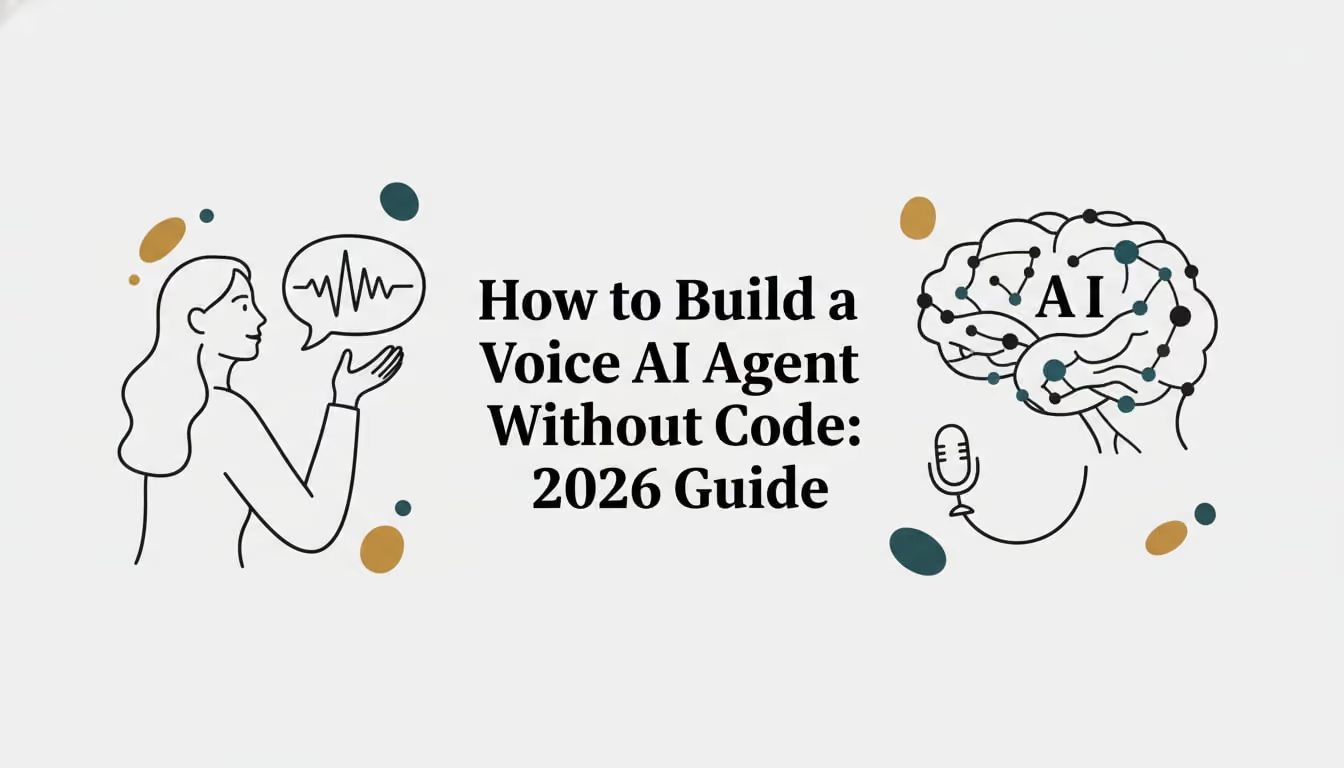
How to Build a Voice AI Agent Without Code: 2026 Guide
How to Build a Voice AI Agent Without Code in 2026: master STT, LLM, TTS; design flows, integrate telephony, cut costs, and launch with step-by-step guidance.
IN this article

Evolve with Sigma Mind AI
Build, launch & scale AI agents
TL;DR
Building a voice AI agent without code is now possible in hours, not months. No-code platforms let you design conversation flows visually, connect telephony, and deploy agents that handle real phone calls autonomously. This guide defines every key term in the voice AI stack (from STT to SIP trunking) and walks through the actual building process step by step, so you can go from zero to a working agent without writing a single line of code.
Why This Guide Exists
Every tutorial on building a voice AI agent without code jumps straight into button clicks on a specific platform. That’s fine if you’ve already chosen your tool. But if you’re still trying to understand what speech-to-text means, why latency matters, or how pricing actually works, those tutorials leave you stranded.
This is different. This is the reference guide you read before you build. It defines every concept, explains why it matters, and gives you the vocabulary to evaluate platforms, ask the right questions, and avoid expensive mistakes.
The timing makes sense. Gartner predicts that conversational AI will reduce contact center labor costs by $80 billion in 2026. The global voice AI agents market hit $2.4 billion in 2024 and is projected to reach $47.5 billion by 2034, growing at a 34.8% CAGR. And the cost gap is staggering: custom AI development runs $75,000 to $500,000 and takes months, while no-code platforms deliver roughly 80% of the functionality at 10 to 100 times lower cost.
You don’t need to be an engineer to build a voice AI agent. But you do need to understand the building blocks.
Foundational Concepts
These are the terms you’ll encounter in the first five minutes of exploring any voice AI platform.
Voice AI Agent
Software that uses speech recognition, a language model, and voice synthesis to handle live phone conversations autonomously. Think of it as a virtual employee that picks up the phone, understands what the caller wants, takes action (books an appointment, processes a refund, qualifies a lead), and responds in natural-sounding speech.
This is not an IVR menu. IVR systems force callers through rigid “press 1 for billing” trees. Voice AI agents handle free-form conversation, interpreting what someone says regardless of how they phrase it.
The economics are compelling. Per-call costs drop from $7 to $12 with a human agent to about $0.40 with voice AI. Companies using voice AI report 3-year ROI between 331% and 391%.
No-Code Agent Builder
A visual platform for designing and deploying AI agents using drag-and-drop interfaces, templates, and configuration panels instead of writing code. If you can use a form builder or a flowchart tool, you can use a no-code agent builder.
The 2026 market splits into two camps: code-first platforms (Retell AI, Vapi) geared toward developers, and no-code platforms (Synthflow, Voiceflow, Bland AI) aimed at business teams. Some platforms bridge both worlds. SigmaMind AI, for example, offers a no-code agent builder for rapid creation alongside deep APIs and an MCP server for engineering teams who want programmatic control.
Setup time varies dramatically. Practitioners who’ve tested multiple platforms report that no-code setup ranges from 1 to 4 hours, while code-first platforms like Vapi take 20 to 60 hours. That difference matters when you’re trying to ship something this week.
Conversation Flow (Conversation Design)
The planned path a voice conversation follows, including greetings, questions, branching logic, error handling, and escalation points. This is the blueprint of your agent’s behavior.
Conversation flow is the single biggest determinant of whether a voice agent succeeds or fails in production. A well-designed flow anticipates caller needs, handles unexpected responses gracefully, and knows when to escalate to a human. A poorly designed flow creates frustrating loops where callers repeat themselves or get stuck.
If you want a deeper look at structuring these flows, the guide on building voice conversation scripts without coding breaks down the practical approach.
Node-Based Workflow
An approach where each conversation step is a visual “node” on a canvas. Nodes connect via edges (lines) to create a flowchart. Each node can represent a greeting, a question, a conditional branch, an API call, or a human transfer.
This is the core paradigm of most no-code voice AI builders. Instead of writing code like if caller_intent == "refund": process_refund(), you drag a “condition” node onto the canvas, connect it to a “refund” node, and configure the logic through form fields.
The benefit is visibility. You can see the entire conversation structure at a glance, spot dead ends, and reorganize branches without untangling code. SigmaMind’s agent model uses nodes to represent conversation steps, conditional branching, and external actions, giving teams both visual clarity and operational depth.
The Voice AI Technology Stack
When you build a voice AI agent without code, the platform handles these layers for you. But understanding them is critical for choosing the right platform, diagnosing problems, and controlling costs.
Speech-to-Text (STT) / Automatic Speech Recognition (ASR)
Converts spoken audio to text in real time. This is the first stage in the voice pipeline: the caller speaks, and STT transcribes their words into text that the language model can process.
STT quality directly affects everything downstream. If transcription is inaccurate, the language model misunderstands the caller’s intent, generates a wrong response, and the caller has to repeat themselves. Poor transcription forces correction cycles that can add 5 to 10 seconds to conversations.
Common STT providers include Deepgram, AssemblyAI, Google Cloud Speech, and OpenAI’s Whisper. Community consensus among practitioners is that Deepgram currently leads on speed, which matters enormously for real-time voice applications. SigmaMind integrates with providers like Deepgram for high-accuracy, low-latency transcription.
Large Language Model (LLM)
The AI “brain” that processes the transcribed text, understands the caller’s intent, and generates a text response. Models like GPT-4o, Claude, and Gemini power this reasoning layer.
The LLM is where the intelligence lives. It decides whether the caller wants to book an appointment or cancel one, figures out what information to ask for next, and composes a natural response. It’s also the biggest performance bottleneck: LLM inference accounts for roughly 70% of total latency in voice AI systems.
Model-agnostic platforms let you choose the best model for each use case. Need fast responses for simple routing? Use a smaller, cheaper model. Need complex reasoning for financial services? Use a more capable (but slower) one. SigmaMind supports OpenAI, Claude, Gemini, and Hume AI, so teams can optimize the speed-versus-quality tradeoff without switching platforms.
Text-to-Speech (TTS)
Converts the LLM’s text response back into spoken audio with natural intonation and prosody. This is the last stage: the agent’s “voice.”
Voice quality determines caller trust. A robotic, stilted voice signals “you’re talking to a machine” and increases hangup rates. Modern TTS engines from providers like ElevenLabs, Cartesia, PlayHT, and Rime AI produce remarkably human-sounding speech, with controllable tone, pacing, and emotion.
Practitioners broadly agree that ElevenLabs currently leads on TTS quality, though the gap is narrowing. SigmaMind supports ElevenLabs, Rime AI, and Cartesia.
Voice-to-Voice Latency (V2V)
The total time from when a caller finishes speaking to when they hear the agent’s response. This is the metric that makes or breaks the conversational experience.
V2V latency is the sum of STT processing time, plus LLM inference time, plus TTS generation time, plus network transit. Human conversational response typically happens within 150 to 500 milliseconds. When response time exceeds one second, customers hang up 40% more frequently.
The benchmark: sub-1-second is acceptable. Under 800ms is good. Anything over 1.5 seconds feels unnatural and frustrating. SigmaMind reports approximately 970ms average voice latency with sub-800ms targets.
One practitioner testing multiple platforms noted that stacked latency is “the hidden killer.” In a controlled demo, everything sounds great. But the moment you move to real call load, each provider in the chain (STT, LLM, TTS, telephony) adds its own delay, and the total creeps up. This is why testing under realistic conditions matters more than watching a polished demo.
Telephony / SIP Trunking
The infrastructure connecting your voice AI agent to actual phone networks so it can make and receive calls.
SIP (Session Initiation Protocol) routes voice calls over the internet. A SIP trunk is essentially a virtual phone line. No-code platforms typically let you either buy a phone number directly through the platform or bring your own carrier (BYOC) by connecting your existing Twilio or Telnyx account.
SigmaMind supports native Twilio and Telnyx integrations plus SIP for custom telephony setups. This flexibility matters because many businesses already have phone infrastructure they don’t want to abandon.
The complete pipeline looks like this:
Caller speaks → STT (speech to text) → LLM (understands and generates response) → TTS (text to speech) → Caller hears response
Every no-code platform orchestrates this pipeline behind the scenes. Your job is to configure what the agent says and does, not how the audio gets processed.
Key Features That Separate Good Agents from Bad Ones
These features show up across platforms but are rarely explained. Understanding them helps you evaluate whether a platform can handle your actual use case.
Function Calling / Tool Calling
The agent’s ability to execute real actions during a conversation: book an appointment in your calendar, look up an order in Shopify, create a ticket in Zendesk, update a CRM record in Pipedrive.
This is what separates a useful agent from a glorified chatbot. Without function calling, the agent can only talk. With it, the agent can actually complete work. SigmaMind’s App Library connects CRMs, helpdesks, e-commerce platforms, calendars, and spreadsheets so agents can take action, not just respond.
Warm Transfer
Handing a live call from the AI agent to a human agent while preserving full conversation context: a summary of what was discussed, extracted data points, the caller’s intent, and any relevant account information.
Contrast this with cold transfer, where the caller gets dumped to a human with zero context and has to repeat everything from scratch. Cold transfers are the #1 source of caller frustration with automated systems.
SigmaMind’s warm transfer includes custom headers with machine-readable data, so the human agent’s screen already shows what happened before they say hello. For more on how this works in practice, see the guide on escalating calls to humans without losing context.
Endpointing / Turn Detection
Technology that detects when a caller has finished speaking so the agent can respond. This sounds simple. It is not.
People pause mid-sentence to think. They say “um” and “uh.” They trail off. Poor endpointing means the agent either cuts in too early (interrupting the caller) or waits too long (creating awkward silence). Common STT issues that break voice agents include slow final transcripts causing delayed replies and missed interruptions causing awkward turn-taking.
Good endpointing uses a combination of silence duration, prosodic cues (falling intonation suggests a sentence is complete), and semantic analysis to make accurate predictions about when someone is done talking.
Barge-In
The caller’s ability to interrupt the agent mid-sentence. If the agent is reading a long policy explanation and the caller says “I already know that,” they expect the agent to stop immediately and move on.
Without barge-in support, callers sit through information they don’t need, which wastes time and increases frustration. Most modern voice AI platforms support barge-in, but the quality varies. Some take a full second to register the interruption, which defeats the purpose.
Voice Activity Detection (VAD)
Distinguishes human speech from background noise, silence, and non-speech sounds (TV audio, dog barking, keyboard typing). VAD works alongside endpointing to ensure the agent only responds to actual speech.
Knowledge Base / RAG
A structured collection of business information (FAQs, product details, policies, pricing) that the agent references when answering questions. RAG stands for Retrieval-Augmented Generation, a technique where the system retrieves relevant documents from your knowledge base and feeds them to the LLM alongside the caller’s question.
Without RAG, the LLM relies solely on its training data, which knows nothing about your specific business. With RAG, the agent can accurately answer “What’s your return policy?” or “Do you ship to Alaska?” based on your actual documentation.
Prompt Engineering (for Voice)
Writing the instructions that tell the LLM how to behave. In voice AI, prompts must account for spoken language patterns (people don’t talk the way they type), interruptions, background noise, and explicit rules about when to escalate.
A good voice prompt specifies the agent’s persona, tone, response length (short sentences work better in speech), how to handle confusion, and when to transfer to a human. SigmaMind supports single-prompt agent creation for quick prototyping plus node-level prompt configuration for production agents that need granular control.
Concurrent Calls
The number of simultaneous calls your agent can handle at once. This matters the moment you move beyond testing.
Platforms vary widely here. Retell AI offers 20 free concurrent calls with unlimited scaling; Synthflow ranges from 5 to 200+ depending on plan; Vapi defaults to 10 with add-on costs. If you’re running outbound campaigns or handling inbound volume for a contact center, concurrent call limits can become a bottleneck fast.
How to Build a Voice AI Agent Without Code: The Step-by-Step Process
Now that you understand the vocabulary, here’s what the actual building process looks like.
Step 1: Define Your Use Case and Scope
Start with one well-defined workflow. Not “automate our entire call center” but “handle appointment confirmations” or “qualify inbound leads” or “process return requests.”
Focused agents deployed quickly generate faster ROI than ambitious projects that try to automate everything at once. Pick the use case with the highest call volume and the most repetitive structure. That’s your first agent.
Define the scope: What questions will the agent answer? What actions will it take? When should it escalate to a human? What data does it need access to? Write these down before you touch any platform.
Step 2: Choose Your Platform
Key criteria to evaluate:
- Latency: Sub-1-second voice-to-voice is the minimum bar
- Voice quality: Test with real callers, not just your own ears
- Pricing transparency: Can you see costs broken down by layer (STT + LLM + TTS + telephony)?
- Integration depth: Does it connect to your CRM, helpdesk, calendar, or e-commerce tools?
- Compliance: Does it meet your security requirements (SOC 2, HIPAA, etc.)?
A common pitfall practitioners report: platforms that deliver impressive demos but fall apart on CRM integration. The demo call sounds perfect, but when you try to actually book an appointment or look up an order, the integrations are shallow or unreliable.
A practitioner who logged 400+ test calls across five industries noted that the critical distinction is how well platforms perform under real load, not in controlled demos. Test before you commit.
If you want a side-by-side comparison, the best no-code agent builder platforms guide covers this in detail.
Step 3: Configure the Agent
This is where you set the foundation:
- Name and persona: Give the agent an identity. “Hi, this is Sarah from Acme Health” works better than an anonymous voice.
- LLM selection: Choose which language model powers the reasoning. Faster models for simple routing, more capable models for complex conversations.
- Voice/TTS selection: Pick a voice that matches your brand. Warm and conversational for healthcare, professional and concise for financial services.
- System prompt: Write the core instructions. Define personality, boundaries, escalation rules, and response style.
- Language settings: Configure for multilingual support if your callers speak different languages.
Step 4: Build Conversation Flows
Using the visual builder, map out nodes with:
- Greeting node: How the agent opens the call
- Intent detection: What is the caller trying to do?
- Branching logic: Different paths for different intents
- Data collection: Questions the agent asks and validates
- Function calls: Actions the agent takes (booking, lookup, update)
- Error handling: What happens when the agent doesn’t understand
- Escalation triggers: Conditions that route to a human agent
This is where you spend the most time, and where you should spend the most time. The quality of your conversation flow determines whether callers complete their task or hang up in frustration.
Step 5: Connect Telephony
Purchase a phone number through the platform or connect your existing carrier via SIP. For most no-code platforms, this takes minutes. Configure inbound routing (calls to this number go to this agent) and, if needed, outbound caller ID settings.
Step 6: Test in the Playground
Run test conversations before going live. Every scenario you can think of:
- The happy path (caller says exactly what you expect)
- Edge cases (caller gives partial information, changes their mind mid-call)
- Failure modes (caller asks something completely out of scope)
- Interruptions (caller barges in, goes silent, has background noise)
SigmaMind’s In-builder Playground enables real-time testing with node-level logs across voice, chat, and email, so you can see exactly which node fired and why.
Step 7: Deploy and Optimize
Start limited. Route 10% of calls to the agent and monitor. Read transcripts. Check analytics. Look for:
- Where callers drop off
- Where the agent misunderstands
- Where latency spikes
- Where escalation happens more than expected
Iterate on prompts, adjust branching logic, refine error handling. Then gradually increase the agent’s share of traffic.
Cost and Pricing: What You’ll Actually Pay
Pricing is the #1 source of frustration in the voice AI community. Many platforms advertise low base rates, but the real per-minute cost is 2 to 4 times higher when all stack layers are included.
Per-Minute Pricing
The dominant billing model. Your real cost per minute is the sum of:
Cost LayerWhat It CoversTypical RangePlatform feeOrchestration, hosting, workflow engine$0.03 - $0.10/minSTTSpeech-to-text transcription$0.01 - $0.04/minLLMLanguage model inference$0.01 - $0.08/min (varies by model)TTSText-to-speech synthesis$0.01 - $0.05/minTelephonyPhone network costs$0.01 - $0.03/min
Tested prices across platforms range from $0.07/min (Retell AI, platform only) to over $0.40/min (Air AI, specialized). Synthflow runs $0.13 to $0.20/min; Voiceflow $0.10 to $0.18/min.
SigmaMind charges $0.03/min as a platform fee plus actuals for each stack layer, with a pricing page that breaks down costs by provider so you can see exactly what you’re paying for.
Cost Per Call
Total cost per call = per-minute rate multiplied by average call duration, plus any fixed fees. For a typical 3-minute call at $0.15/min all-in, that’s $0.45 per call. Compare that to $7 to $12 for a human agent handling the same call.
For guidance on tracking these numbers accurately, the guide on tracking cost per support call walks through the methodology.
Deployment and Operations Terms
Once your agent is live, these concepts govern day-to-day operations.
Outbound Campaigns / Bulk Dialing
Proactively calling a contact list for appointment reminders, follow-ups, payment reminders, or lead qualification. Instead of waiting for calls, the agent initiates them.
This requires CSV upload of contact lists, scheduling (call between 9am and 5pm), concurrency caps (don’t dial 500 numbers simultaneously), and personalization variables (use the contact’s name, reference their specific appointment).
Call Analytics
Dashboards showing agent performance: average duration, resolution rate, escalation rate, cost per call, sentiment trends, and more. Without analytics, you’re flying blind. You need to know which conversation paths work, where callers drop off, and what each call actually costs.
SigmaMind provides analytics with cost breakdowns by stack layer, so you can identify whether your costs are driven by LLM choice, call duration, or telephony rates.
Multichannel / Omnichannel
Deploying the same agent logic across voice, chat, SMS, and email from one configuration. Build once, deploy everywhere. This eliminates the maintenance burden of managing separate bots per channel and ensures consistent customer experience.
SigmaMind builds once and deploys across voice, chat, and email from a single agent configuration.
SOC 2 / HIPAA / Compliance
Security certifications that enterprise buyers require before allowing customer data to flow through a third-party platform. SOC 2 covers data security controls. HIPAA applies to protected health information.
Compliance costs vary across platforms. Vapi charges an additional $1,000 for HIPAA as an add-on. SigmaMind claims SOC 2, encryption in transit and at rest, SSO, audit trails, and private cloud options for enterprise deployments.
MCP (Model Context Protocol)
A protocol that lets AI coding tools (VS Code, Cursor, GitHub Copilot) interact with voice AI platforms programmatically. This is a developer-focused feature, but it’s worth understanding because it represents where the industry is heading: voice AI platforms as programmable infrastructure, not just visual builders.
SigmaMind’s MCP server lets developers trigger calls, create agents, and fetch transcripts from inside their existing coding tools.
No-Code vs. Code-First: A Quick Comparison
FactorNo-Code PlatformsCode-First PlatformsSetup time1-4 hours20-60 hoursTechnical skill requiredBusiness user / operationsDeveloper / engineerCustomization depthHigh (within platform constraints)UnlimitedMaintenance burdenLow (platform manages infrastructure)Higher (you own the stack)Best forMost business use cases, agencies, rapid deploymentHighly custom integrations, unique architecturesExamplesSynthflow, Voiceflow, Bland AI, SigmaMind (no-code mode)Vapi, Retell AI, SigmaMind (API/MCP mode)
For most businesses looking to build a voice AI agent without code, no-code platforms cover the vast majority of use cases. The 80/20 rule applies: no-code gives you 80% of the capability at a fraction of the cost and time. If you hit the 20% that requires custom code, you can always extend later.
Getting Started
The gap between “interested in voice AI” and “running a live agent” is smaller than most people think. With the right platform, you can build a voice AI agent without code in an afternoon.
Start small. Pick one high-volume, repetitive workflow. Build the agent. Test it thoroughly. Deploy it to a subset of traffic. Measure results. Iterate.
Gartner predicts that by 2029, agentic AI will autonomously resolve 80% of common customer service issues without human intervention. The companies that start building now will be the ones ready when that prediction becomes reality.
If you want to see what the building process looks like in practice, SigmaMind’s agent builder lets you start for free and pay only for what you use. You can go from a blank canvas to a working voice agent handling real phone calls, without writing a single line of code.
Frequently Asked Questions
How long does it take to build a voice AI agent without code?
Most no-code platforms allow you to build and deploy a basic voice agent in 1 to 4 hours. A production-ready agent with branching logic, integrations, and thorough testing typically takes a few days of iterative refinement. Code-first alternatives take 20 to 60 hours for comparable results.
What does a voice AI agent cost per minute?
Real costs depend on your full stack. Expect $0.10 to $0.25 per minute all-in when you add up platform fees, STT, LLM, TTS, and telephony charges. Some platforms advertise only the base platform fee, which can be as low as $0.03/min, but that’s not the complete picture. Always ask for the total cost including all providers.
Can a no-code voice AI agent handle complex conversations?
Yes. Node-based builders support conditional branching, function calling (booking appointments, processing refunds, looking up orders), knowledge base lookups, and human escalation. They handle multi-turn conversations where the agent asks follow-up questions, validates information, and takes different paths based on caller responses.
What’s the difference between a voice AI agent and an IVR?
IVR systems use rigid menu trees (“press 1 for billing, press 2 for support”). Voice AI agents understand natural speech and handle free-form conversation. A caller can say “I need to change my appointment from Thursday to Friday” and the agent processes that directly, without navigating menus.
How do I reduce latency in my voice AI agent?
Choose an STT provider optimized for speed (Deepgram is the current community favorite). Use the fastest LLM that meets your quality requirements. Select a TTS provider with low generation time. Minimize network hops by using a platform that keeps all components geographically close. The target is sub-1-second voice-to-voice latency.
Do I need a phone number to test my voice AI agent?
No. Most platforms include a playground or testing environment where you can run conversations through your browser before connecting telephony. SigmaMind’s playground lets you test across voice, chat, and email with node-level logs. You only need a phone number when you’re ready to handle real calls.
What happens when the voice AI agent can’t handle a caller’s request?
Well-designed agents escalate to human agents via warm transfer, passing along a full conversation summary so the caller doesn’t repeat themselves. You define the escalation triggers during conversation flow design: specific intents, sentiment thresholds, repeated misunderstandings, or explicit caller requests to speak with a person.
Is building a voice AI agent without code suitable for enterprise use?
Yes, with the right platform. Look for SOC 2 compliance, encryption, SSO, audit trails, and private cloud options. Enterprise deployments also require high concurrent call capacity, robust analytics, and reliable integrations with existing CRM and helpdesk systems. Many no-code platforms now serve enterprise customers at scale.
Evolve with Sigma Mind AI
Build, launch & scale AI agents
Related Blogs
Ready to transform your call center?

More Conversations.
Less Manual Work.

Building from San Francisco, CA