
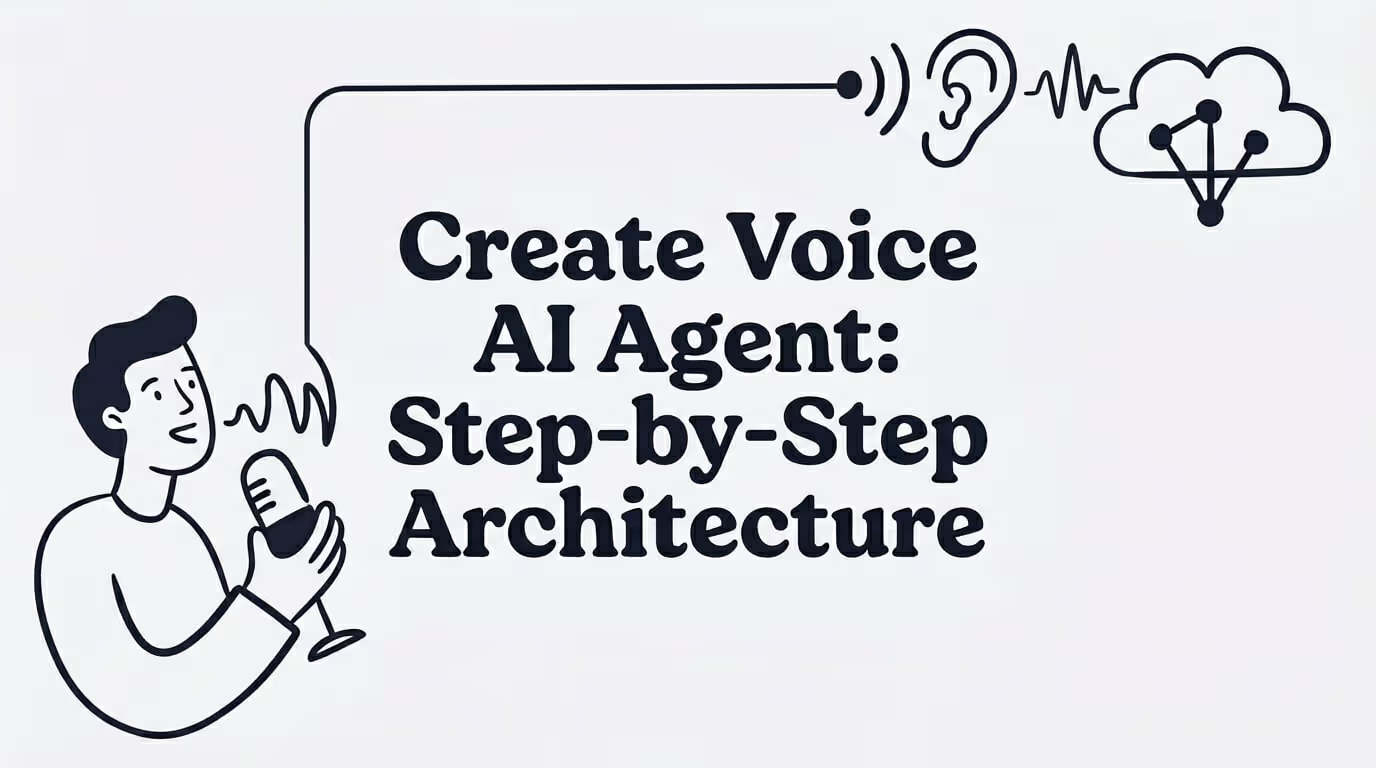
How to create a Voice AI Agent in 2026: Step-by-Step Architecture
Learn how to create voice AI agent in 2026 with a production-ready architecture, streaming pipeline, tool calls, and human handoff. Start now.
IN this article

Evolve with Sigma Mind AI
Build, launch & scale AI agents
TL;DR
Creating a voice AI agent means building a real-time system that listens, understands, decides, speaks, and takes action over a phone call or voice interface. The core architecture connects speech-to-text, a language model, text-to-speech, telephony, and business tools into a streaming pipeline. The hard part is not the prompt. It is orchestration across latency, turn-taking, tool calls, human handoff, and compliance, especially for outbound calls.
What does “Create Voice AI Agent” mean?
To create a voice AI agent is to build and deploy an AI system that holds spoken conversations, understands what callers want, responds with natural speech, and completes real tasks. Those tasks might include booking appointments, qualifying leads, answering support questions, updating CRMs, issuing refunds, or transferring calls to a human when the situation demands it.
This is more than adding a voice to a chatbot. A production voice AI agent combines multiple layers working in concert:
OpenAI’s voice agent documentation frames the key architecture decision as choosing between direct speech-to-speech live audio sessions or a chained pipeline that explicitly manages transcription, reasoning, and speech output. Both approaches can work. The right choice depends on the use case.
A quick example: a dental office creates a voice AI agent to answer missed calls, ask whether the caller is new or existing, collect the reason for the visit, check open appointment slots, book the appointment, and log the outcome in a CRM. That is a complete voice AI agent, not because it talks, but because it completes work.
If you want to start building one now, SigmaMind’s no-code Agent Builder lets you design multi-step conversational workflows with branching, tool calls, and telephony built in.
Voice AI Agent vs. IVR vs. Chatbot vs. AI Receptionist
These terms get mixed up constantly. Here is how they differ.
TermWhat it doesKey limitationExampleIVRRoutes callers through touch-tone menusRigid, no context, no free-form speech“Press 1 for billing”Voice chatbotAnswers spoken questions conversationallyMay not take backend actionsFAQ bot on a websiteVoice AI agentUnderstands, decides, acts, escalatesNeeds testing, guardrails, and monitoringBooks appointments, updates CRM, transfers callsAI receptionistA use-case-specific voice AI agentUsually limited to front-desk scopeAnswers calls, screens callers, captures leads
AssemblyAI draws the distinction clearly: IVR uses touch-tone input and rigid menus, while phone-based voice agents understand natural speech, maintain context, handle interruptions, and complete scoped tasks.
Toloka’s explanation adds a useful detail: voice AI agents are not just voice interfaces. They maintain context, access tools or APIs, and adapt behavior based on spoken input and external conditions. If your system can only talk but not do anything, it is a chatbot, not an agent.
For a deeper comparison between AI agents and traditional chatbots, see this comparison of AI agent chatbots versus chatbots.
How a Voice AI Agent Works
Think of the architecture in terms of body parts: ears, brain, mouth, hands, memory, and a supervisor.
Ears: Speech-to-Text (STT)
The caller speaks. A speech-to-text system (also called automatic speech recognition, or ASR) converts audio into text. Common providers include Deepgram, AssemblyAI, Whisper, Google, and Azure.
Phone calls often use 8 kHz μ-law audio. AssemblyAI notes that native telephony audio support avoids a resampling step that can add latency and reduce accuracy.
Brain: LLM or Dialogue Engine
The transcribed text goes to a language model or dialogue engine that interprets intent, decides what to say, and determines whether to call a tool. OpenAI, Anthropic, Gemini, and open-source models all work here.
Mouth: Text-to-Speech (TTS)
The model’s response gets converted back to spoken audio. ElevenLabs, Cartesia, Rime, Azure, Google, and Amazon Polly are common TTS providers.
Hands: Tools and Integrations
This is what separates a voice AI agent from a voice chatbot. The agent can book a calendar slot, create a CRM record, check an order status, issue a refund, or send a payment link. Without tools, the agent is just talking.
Memory: Conversation State
The agent tracks what has been said, what data has been collected, which tools have been called, and where the conversation stands. State management prevents the agent from asking the same question twice or losing context mid-call.
Supervisor: Orchestration and Guardrails
Orchestration manages routing, conditional logic, fallbacks, handoff rules, and logging. It decides when to call tools, when to transfer, and when to end the call.
The Streaming Pipeline
Most production voice agents follow an STT → LLM → TTS pipeline. LiveKit describes this as the common architecture and notes that how you structure the pipeline determines speed and naturalness.
In a simple sequential pipeline, the system waits for the caller to finish, transcribes everything, sends the full text to the LLM, waits for a complete response, then converts that response to speech. LiveKit says this often creates 2 to 4 seconds of delay, which makes conversations feel broken.
A streaming pipeline overlaps stages: partial transcripts stream to the LLM, the LLM streams tokens, and TTS begins speaking before the full response is ready. Production streaming can bring end-to-end latency under one second.
An arXiv technical tutorial reported a cascaded streaming pipeline using Deepgram, vLLM-served models, and ElevenLabs achieving a measured 755 ms time-to-first-audio with function calling support.
How to Create a Voice AI Agent: Step by Step
Step 1: Pick One Call Type
Start narrow. Do not try to automate everything on day one. Pick a single, high-volume, structured call type where the conversation follows a predictable pattern.
Good starting points:
Rasa recommends defining the purpose and scope first, then expanding capabilities after the agent works well in one domain.
Practitioners on Reddit report that inbound support, after-hours answering, FAQs, booking, and call routing work better as first use cases than outbound sales, because outbound becomes difficult when latency, voice quality, and interruption handling are not near-human.
Step 2: Define Success and Failure
Before choosing tools, define what a successful call looks like and what should trigger a transfer. How many data points need to be collected? What constitutes a completed task? When should the agent hand off?
Step 3: Choose your build approach
There are three paths.
No-code or low-code builder: Best for agencies, small businesses, appointment scheduling, simple support, and early pilots. If you want to compare options, this guide to the best no-code agent builder platforms covers the tradeoffs.
Managed voice AI platform: Best for teams that want to launch quickly without building audio, telephony, and orchestration infrastructure from scratch. Greylock describes developer platforms as reducing the lift required to build custom agents by providing function calling, prompt chaining, and webhook support.
Custom stack: Best for large enterprises, regulated sectors, or products where voice is core IP. Greylock notes that teams building their own infrastructure get the highest flexibility but must manage many components beyond model orchestration.
A Make Community user wanted to create a voice AI agent for an electrical contractor that could screen calls, book appointments, and provide 24/7 emergency answering. The community recommended using a voice platform, connecting it to a phone number through SIP or Twilio, and using webhooks for downstream actions. Non-technical users often think the hard part is the prompt. In practice, it is telephony plus workflow integration.
Step 4: Connect Telephony
Your agent needs a way to receive and make calls. Common options include:
AssemblyAI explains that phone-based voice agents conduct conversations over PSTN or SIP and use the same core stack regardless of whether calls are inbound or outbound.
Step 5: Select Your STT, LLM, and TTS Providers
A model-agnostic approach gives you flexibility. You can choose the best provider for each layer based on accuracy, latency, cost, and language support.
LiveKit’s Python tutorial emphasizes that cascaded pipelines give teams flexibility because they can swap providers, fine-tune components, and debug issues stage by stage.
Step 6: Design the Conversation as a Workflow
A voice agent conversation should not be a single prompt and a prayer. Design it as a workflow with discrete steps:
For guidance on structuring these flows without writing code, see how to build voice scripts without coding.
Step 7: Connect Business Tools to your AI agent
A voice AI agent becomes valuable when it can act on what it hears. Connect it to calendars, CRMs, helpdesks, order systems, payment platforms, and knowledge bases.
RingCentral lists integrations as a core part of how voice AI agents work, including scheduling systems, Salesforce, HubSpot, billing platforms, EHRs, and service databases.
Step 8: Build Escalation and Handoff from Day One
The AI voice agent should know when to stop and transfer. Common triggers:
Practitioners on Reddit report that automation works best for predictable post-purchase tickets, but ambiguous or emotional issues still need humans. CSAT depends heavily on whether customers have to repeat themselves after handoff. Human handoff is not a fallback. It is part of the product.
For a deeper look at preserving context during transfers, read about how to escalate calls to humans without losing context.
Step 9: Test with Real Call Scenarios
Do not test only with clean, scripted inputs. Real callers interrupt, mumble, pause, ask two questions at once, give phone numbers digit by digit, and get frustrated.
Test for:
A Hacker News launch post for a voice testing tool highlighted a common production pain: teams building voice agents often had to manually call agents or read hundreds of transcripts to catch loops, confirmation failures, and misunderstandings. The solution was replaying real production calls with preserved timing, tone, pauses, and interruptions.
Step 10: Launch with Analytics and Keep Improving
Track everything that matters:
For frameworks on monitoring call quality over time, see how to measure the quality of AI call interactions.
Can I create a voice AI agent without code?
Yes. No-code platforms let you design conversation flows, connect telephony, and attach business tools through visual interfaces. SigmaMind’s AI Agent Builder offers a no-code builder with node-based workflows, tool calls, and a built-in playground for testing. No-code works well for structured use cases like appointment scheduling and FAQ handling. Custom stacks are better when you need deep control over latency, model choice, or data residency.
AI Agent Architecture Choices: Cascaded Pipeline vs. Speech-to-Speech
This is the most important technical decision when you create a voice AI agent.
OpenAI recommends chained voice pipelines when teams want explicit control over transcription, reasoning, and speech output, and positions speech-to-speech for natural, low-latency interactions.
LiveKit says cascaded pipelines remain practical for production because they are observable, battle-tested, and allow fine-grained control. Speech-to-speech is maturing quickly but has production limitations around hallucinations, function calling, and reasoning.
LinkedIn practitioner posts repeatedly frame production voice AI as a multi-layer system: telephony, speech recognition, speech synthesis, LLMs, turn-taking, routing, monitoring, compliance, and observability. As one Voximplant post put it, “a production voice agent is not one model.”
What makes a Voice AI Agent Production-Ready
Creating a voice AI agent is easy to demo and hard to operate. A demo only needs to answer a few clean questions. A production agent has to handle pauses, interruptions, wrong numbers, angry callers, failed APIs, noisy phone audio, and human escalation.
Agent Latency Is the Product Experience
If the agent waits too long, callers think the line is dead. If it interrupts too early, it feels rude. According to LiveKit response time is shaped by where latency accumulates across STT, LLM, and TTS, and that TTS can begin before the full LLM response is complete.
Practitioners on Reddit debated whether sub-500 ms voice agents are realistic. Some reported 800 to 1000 ms latency as acceptable in practice, while others argued that API-based chains make consistent sub-500 ms difficult.
The takeaway: optimize for perceived naturalness and task completion, not a marketing latency number.
Turn Detection Is the Hidden Hard Problem
Turn detection decides whether the caller has finished speaking. Basic voice activity detection can mistake a natural pause for the end of a turn. LiveKit calls this one of the most underestimated parts of voice agent architecture.
A widely discussed Hacker News post argued that “voice is a turn-taking problem, not a transcription problem”, and that semantic end-of-turn detection, barge-in cancellation, streaming, time-to-first-token, and infrastructure geography were the key levers.
Barge-In Requires more than “Stop Talking”
Barge-in means the caller interrupts while the AI is speaking. The system must stop audio playback, cancel or revise generation, preserve context, and avoid committing downstream actions that are no longer valid. In a Hacker News thread, a practitioner noted that barge-in teardown becomes dangerous when downstream automation has already triggered a booking pipeline or database update.
The last 20% Breaks the System
A Voice Automation AI Reddit thread described a pattern where AI agents perform well for the first 70 to 80% of interactions but fail on mumbled speech, interruptions, two-part questions, and ambiguous edge cases. One commenter said better models will not fix a broken handoff sequence. The architecture will. The final 20% of edge cases should be routed to humans, not forced through the bot.
Transcripts are not just Records
Practitioners on Reddit emphasize that call logs and transcripts are often the real operational value. They capture intent, objections, booked meetings, resolved versus escalated calls, and follow-up signals. Treat the voice conversation as the front end for capturing structured business data.
What does it cost to create a Voice AI Agent?
Many articles imply voice AI is simply cheaper than humans. The reality is more nuanced. Gartner warned in January 2026 that GenAI cost per resolution for customer service may exceed $3 by 2030 and may be higher than many B2C offshore human agents. AI cost savings are not guaranteed. You need to calculate carefully.
The real cost stack when you create a voice AI agent:
SigmaMind voice agents are billed at a $0.03/minute platform fee plus provider costs for STT, TTS, LLM, and telephony. You can estimate voice AI agent pricing with the pricing calculator.
The important metric is not cost per minute. It is cost per resolved call. For a framework on tracking this, see how to track cost per support call.
Compliance and Responsible Use
Outbound voice AI calling raises serious legal questions. Do not skip this section.
The FCC confirmed that TCPA restrictions on “artificial or prerecorded voice” include current AI technologies that generate human voices. Such calls require prior express consent unless an emergency purpose or exemption applies. If AI-generated calls introduce advertising or telemarketing, rules require prior express written consent.
The FTC affirmed that Telemarketing Sales Rule prohibitions include robocalls using voice cloning technology.
Gartner also predicted that by 2028, regulatory changes related to AI may increase assisted service volume by 30% because customers may exercise rights to reach humans.
Before launching outbound AI calls, ensure you have:
Consult legal counsel before launching outbound AI calling campaigns. This is not optional.
Key Terms Glossary
Voice AI agent: An AI system that speaks with users, understands intent, makes decisions, uses tools, and completes tasks through voice.
STT/ASR: Speech-to-text or automatic speech recognition. Converts spoken audio into text.
TTS: Text-to-speech. Converts the AI’s text response into spoken audio.
LLM: Large language model. The reasoning layer that interprets caller intent and decides responses or actions.
Telephony: Phone infrastructure that lets the agent receive or place calls, usually through PSTN, SIP, Twilio, Telnyx, or another carrier.
SIP trunk: A protocol for routing phone calls over IP networks. Useful for connecting existing phone systems to a voice AI platform.
WebRTC: A real-time communication protocol for low-latency audio and video in browsers and apps.
Turn detection: The system’s method for deciding when the caller has finished speaking and the agent should respond.
Barge-in: When a caller interrupts the AI while it is speaking. The agent must stop, listen, and adjust without losing state.
Tool calling: The agent’s ability to invoke external functions, APIs, or systems during a conversation.
Warm transfer: Escalating a call from the AI agent to a human while preserving context, transcript, summary, and caller details.
Voice-to-voice latency: The time between caller speech and the AI’s spoken response, including all processing stages.
Call containment: The share of calls completed by the AI without human escalation.
Start to build your own AI Voice Agent
Creating a voice AI agent is a process, not a purchase. It starts with defining a narrow call type, choosing the right architecture, connecting the voice stack and telephony, designing the conversation as a workflow, adding tools so the agent can complete work, building handoff logic, testing with realistic calls, and monitoring after launch.
The teams that succeed treat voice AI as workflow orchestration, not prompt writing. They measure cost per resolved call, not just cost per minute. They design handoff as a core feature, not an afterthought. And they start with one use case that works before trying to automate everything.
If you want to create a voice AI agent with node-based workflows, model-agnostic provider choice, built-in telephony, tool calling, warm transfer, and analytics, start building for free on SigmaMind. For enterprise deployments, SIP trunking, or volume pricing, talk to the team.
Evolve with Sigma Mind AI
Build, launch & scale AI agents
Related Blogs
Ready to transform your call center?

More Conversations.
Less Manual Work.

Building from San Francisco, CA