
Long Latency Making Conversations Feel Unnatural: 2026 Guide
Long Latency Making Conversations Feel Unnatural? Learn the 2026 playbook to hit sub-second voice-to-voice via streaming, parallel pipelines, and TTFT/TTFB.
IN this article

Evolve with Sigma Mind AI
Build, launch & scale AI agents
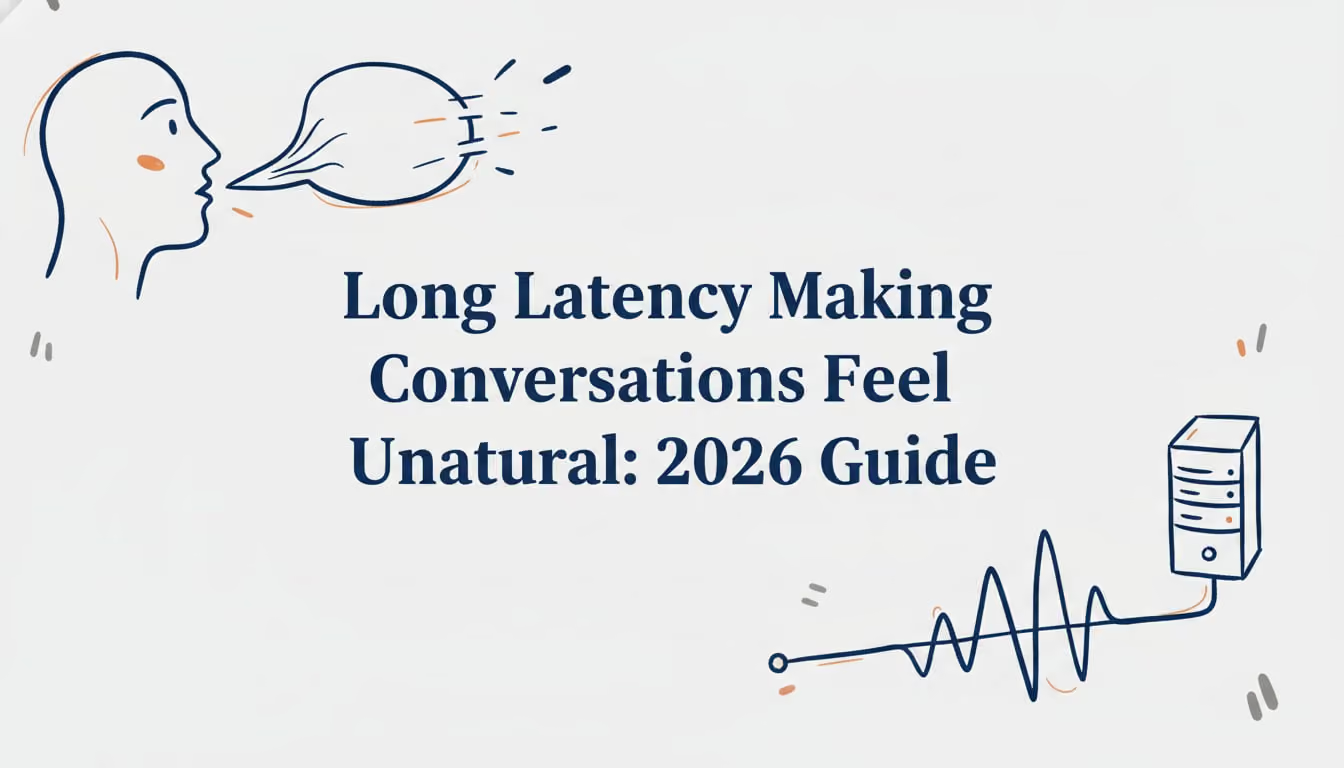
We’ve all been there: talking to an AI voice assistant and experiencing that awkward, lingering silence after we finish speaking. That delay, even if it’s just a second or two, is a classic sign of long latency making conversations feel unnatural. It breaks the rhythm of dialogue, makes the AI feel slow or unintelligent, and can cause users to talk over the bot or simply hang up in frustration.
But what actually causes this conversational lag, and more importantly, how can developers fix it? The answer isn’t a single silver bullet. It’s about understanding and optimizing every single millisecond in the complex journey from human speech to AI response. This guide breaks down the essential concepts, from human psychology to deep-level engineering tactics, that every team needs to master to build truly responsive voice AI.
The Human Side of Speed: Why Every Millisecond Counts
Before diving into the tech, we have to start with the user. Human conversation has an incredibly fast and delicate rhythm that our brains are hardwired to expect. When AI fails to meet this expectation, the experience falls apart.
The 300ms and 400ms Rules of Conversation
In natural human dialogue, the gap between one person finishing and the other starting is shockingly short. Studies across 10 different languages found the average turn taking gap was just around 208 milliseconds. This has led to what many in the field call the “300ms rule”: In human conversation, gaps between speaking turns average around 200 ms.
Once that delay creeps up to the 400ms threshold, our brains start to notice something is off. We begin to wonder if we were heard. Conversations with delays at or above 600 ms were rated significantly more unnatural than those between 67–500 ms. This is the very beginning of long latency making conversations feel unnatural.
Voice to Voice Latency: The Ultimate Metric
The most important measurement for a voice agent’s performance is its voice to voice latency. This is the total time from the exact moment a user stops speaking to the moment they begin to hear the AI’s voice in response. It’s the end to end number that captures the entire user experience of a conversational turn.
Historically, many bots have struggled here, with industry median latencies hovering around 1.4 to 1.7 seconds, a full five times slower than what humans expect. For a great user experience, a widely accepted target is to get voice to voice latency under 800 milliseconds.
Perceived Latency vs. Actual Latency
Interestingly, users don’t have a stopwatch; they interpret cues. In audio-only remote conversations, delays at or above 400 ms reduced perceived naturalness, while adding video cues weakened the negative impact of delays up to around 500 ms. This is perceived latency. Managing it is crucial—use in‑depth voice analytics to spot and fix dead air—because silence can be toxic to user satisfaction.
Breaking Down the AI Pipeline: Where Does the Time Go?
To fix long latency making conversations feel unnatural, you first have to know where the delays are coming from. A voice interaction goes through several stages, and each one adds milliseconds to the total.
A component latency budget is an essential engineering practice where teams allocate a maximum allowed delay for each part of the process. For example, a team might budget about 350 ms for speech-to-text, 375 ms for the language model’s time to first token, and 100 ms for text-to-speech time to first byte (median targets) to ensure the total stays on target.
From Speaking to Silence: Detecting the End of a Turn
Unlike typing a message and hitting “send,” a voice AI has to guess when you’re done talking. This is handled by end of utterance detection, which typically relies on a silence timeout.
- End of utterance detection is the process of identifying when a user has finished their turn. Most systems do this by listening for a specific duration of silence, often between 500ms and 1000ms.
- A silence timeout is that configurable period of quiet. A shorter timeout (e.g., 500ms) makes the agent respond faster but risks cutting the user off if they are just pausing to think. A longer one (e.g., 800ms) is safer but adds delay to every single turn. Tuning this single parameter can often shave 200 to 400ms off your total latency.
Sequential vs. Streaming Pipelines
How the different stages of the AI pipeline are connected is perhaps the biggest factor in overall speed.
- Sequential processing is the old, slow way. Each step waits for the previous one to be 100% complete. The AI records the full audio, then transcribes it, then thinks of a full response, then generates the full audio for that response, and only then plays it. The total delay is the sum of every component’s latency, which can easily add up and cause long latency making conversations feel unnatural.
- A streaming pipeline is the modern solution. Data flows through the system in real time. As soon as the user starts speaking, the audio is streamed to the speech to text engine, which starts producing a partial transcript. That partial text is streamed to the language model, which can start thinking of a response before the user has even finished their sentence. This approach is fundamental to achieving sub second response times.
Core Architectural Strategies for Cutting Latency
Achieving a fast, streaming pipeline requires specific architectural choices and technologies designed for real time interaction.
Parallel Processing: Doing More at Once
A streaming pipeline enables parallel processing, which means executing multiple tasks at the same time instead of one after another. For example, while the speech to text (STT) engine is finalizing the end of a user’s sentence, the Large Language Model (LLM) can already be processing the beginning of it, and the text to speech (TTS) engine could even be generating the first words of the AI’s likely response. This overlap is what transforms a slow, clunky interaction into a fluid one. Modern voice platforms like SigmaMind AI are built from the ground up to orchestrate these operations in parallel, which is key to their responsiveness.
Chunked Audio and Sentence Awareness
To make streaming effective, both audio and text are broken into smaller pieces.
- Chunked audio decoding is the heart of streaming STT. Instead of waiting for a full audio file, the system processes audio in small segments or “chunks” as it arrives, providing a running transcript.
- Sentence aware streaming is a refinement that makes the AI’s streamed response sound more natural. Instead of sending text to the TTS engine token by token, which can lead to odd pauses, the system tries to send complete sentences or meaningful phrases. This ensures the TTS can use the correct intonation and pacing, avoiding a robotic, disjointed delivery.
Optimizing the AI’s Brain: LLM and TTS Performance
The LLM and TTS engines are often the biggest contributors to latency. Optimizing how quickly they start and continue responding is critical.
Time to First Token (TTFT) and Time to First Byte (TTFB)
These two metrics measure the initial responsiveness of the AI components.
- Time to First Token (TTFT) is how long it takes for the LLM to produce the first word (or token) of its response after receiving the user’s query. A slow TTFT creates that initial dead air before the bot starts talking. Fast tier models often have a TTFT between 375 and 750 milliseconds.
- Time to First Byte (TTFB) is most relevant for TTS. It’s the time from when the TTS engine receives text to when it returns the very first byte of audio. A low TTFB means the AI can start speaking almost instantly, which drastically improves perceived latency. Many TTS services achieve a TTFB of 150 to 500 milliseconds.
Inter Token Latency
Once the LLM starts responding, inter token latency becomes important. This is the tiny delay between each subsequent word it generates. If this latency is high, the AI’s speech will sound slow and hesitant, as if it’s pausing between every few words. A fluid, natural sounding response requires consistently low inter token latency.
Infrastructure and Network: The Speed of Light Matters
Even the most optimized AI models will feel slow if the data takes too long to travel between the user and the servers.
Geographic Distribution and Network Co location
The physical distance data has to travel introduces significant delay. Signals traveling across a continent can easily add about 60 milliseconds round-trip (e.g., San Jose to New York City) of latency.
- Geographic distribution solves this by deploying servers in multiple regions around the world, so user traffic is always handled by the closest data center. The average latency around the world to Slack.com dropped from 90 ms to 15 ms.
- Network co location applies the same principle within the AI pipeline itself. If your STT, LLM, and TTS services are running in different cloud regions, the network hops between them will add up. Placing all components in the same data center minimizes this internal communication delay.
WebRTC and WebSocket Transport
The protocols used to move data are also key.
- WebSocket transport provides a persistent, two way communication channel that’s perfect for streaming audio up to the server and text transcripts back down. It avoids the overhead of constantly setting up new connections.
- WebRTC transport is the gold standard for real time audio and video. It’s designed for extremely low latency streaming (200–400 ms end-to-end latency) and is what powers applications like Google Meet and Zoom. You can test sub‑second streaming in the Playground.
Advanced Strategies for Production Grade Performance
For systems handling real world traffic, a few more advanced techniques are needed to ensure consistently fast and reliable performance. This is where a sophisticated orchestration platform can make a huge difference, abstracting away this complexity so developers can focus on building great conversational flows.
Smart Choices: Provider and Model Selection
Not all AI models and services are created equal.
- Model size selection involves balancing performance with speed. A massive, state of the art LLM might be highly intelligent but too slow for a real time conversation. Choosing a smaller, faster model can be a huge win, as LLM inference often typically contributes 40-60% of total voice-to-voice latency.
- Provider selection is about choosing the right third party services for STT, TTS, and LLM. One provider might be more accurate but slower, while another is faster. Platforms that are model agnostic, like SigmaMind AI, allow developers to mix and match the best providers for each part of the stack to perfectly tune for cost, quality, and speed.
Managing Load: Batching and Scheduling
When handling many calls at once, the system needs to be smart about how it processes requests.
- Dynamic batching groups multiple user requests together to be processed by the GPU more efficiently. This increases throughput but can add a small delay for each user. The key is to adapt the batch size dynamically based on traffic.
- Backpressure aware scheduling prevents the system from getting overloaded. If a component like the LLM starts to lag, the scheduler will slow down new inputs rather than letting a massive queue build up, which would cause latency to spiral out of control.
Ensuring Reliability: Hedge Requests and Monitoring
Finally, even with all these optimizations, you need to handle the occasional hiccup and keep an eye on performance.
- A hedge request is a clever trick to reduce worst case delays. You send the same request to two different servers or models at the same time and use whichever response comes back first. This acts like an insurance policy against random slowdowns.
- Latency monitoring (p95/p99) is crucial because averages can be misleading. Monitoring the 95th and 99th percentile response times tells you how slow your slowest 5% or 1% of requests are. Taming this “tail latency” is key to providing a consistently good experience for all users.
Conclusion: It Takes an Orchestra to Have a Good Conversation
Eliminating the long latency making conversations feel unnatural is not about finding one magic fix. It’s a holistic effort that spans conversational design, software architecture, infrastructure, and operational excellence. From respecting the 300ms rule of human turn taking to implementing parallel, streaming pipelines and carefully monitoring tail latencies, every choice matters.
By understanding these interconnected concepts, developers can systematically identify bottlenecks and build voice agents that are not only intelligent but also incredibly fast and a genuine pleasure to talk to. Building such a low latency, production grade system from scratch is a massive undertaking, which is why platforms like SigmaMind AI exist to provide the orchestrated, high performance foundation developers need. See pricing.
Frequently Asked Questions
1. What is the biggest cause of long latency making conversations feel unnatural?
While every component contributes, two of the biggest factors are often a slow Large Language Model (LLM) and using a sequential processing pipeline instead of a streaming, parallel one. A sequential pipeline forces each step to wait, and their delays add up, creating significant lag.
2. What is a good voice to voice latency for an AI agent?
For a conversation to feel natural and avoid users talking over the bot, the target for end to end voice to voice latency should be under 800 milliseconds. Human conversation gaps are typically around 200 to 300 milliseconds, so the closer you can get to that, the better the experience.
3. How does a streaming pipeline reduce latency?
A streaming pipeline allows processing to begin on partial data. Instead of waiting for a user to finish their entire sentence, the system starts transcribing and even thinking about a response from the very first words. This overlap, or parallel processing, can cut hundreds of milliseconds of dead time from the interaction.
4. Can changing AI models really make a conversation faster?
Absolutely. Model size selection is a critical optimization lever. A smaller, more efficient model might have a much lower Time to First Token (TTFT), meaning it starts generating a response far more quickly than a larger, more complex model. The key is to find the right balance of speed and intelligence for your specific use case.
5. Why is monitoring p95/p99 latency so important?
Average latency can hide serious problems. Your average might be 800ms, but if your 99th percentile (p99) latency is 3 seconds, it means 1 out of every 100 users is having a terrible, broken experience. Monitoring these “tail latencies” ensures you are building a system that is consistently fast for everyone, not just for the average user.
6. Does the location of my servers affect voice AI latency?
Yes, significantly. Physical distance creates network delay. Using geographic distribution to place your servers close to your users can cut network round trip times dramatically, often saving over 100 milliseconds and contributing to a much snappier feel.
7. How can I get started building a low latency voice agent?
The fastest way is to use a developer first platform engineered for speed. An orchestration platform like SigmaMind AI handles many of these complex optimizations like streaming, parallel processing, and provider integration out of the box, allowing you to focus on building your agent’s logic. Start building for free.
8. Is it possible to completely eliminate the feeling of lag in AI conversations?
While reaching a true zero millisecond delay is impossible, it is absolutely possible to reduce voice to voice latency to a point that is below about 150 ms one-way (mouth-to-ear) for essentially transparent interactivity. This requires a highly optimized, end to end streaming architecture, solving the problem of long latency making conversations feel unnatural and creating an experience that feels truly seamless.
Evolve with Sigma Mind AI
Build, launch & scale AI agents
Related Blogs
Ready to transform your call center?

More Conversations.
Less Manual Work.

Building from San Francisco, CA