
15 Best Customer Service Automation Tools for 2026
Compare the top 15 customer service automation tools of 2026. See features, pricing models, pros/cons, and selection tips to scale 24/7 support. Launch a pilot.
IN this article

Evolve with Sigma Mind AI
Build, launch & scale AI agents
Customer expectations have never been higher. Today’s consumers demand instant, personalized, and effective support around the clock.
For businesses, trying to meet this demand manually leads to burnout and unsustainable costs. This is where customer service automation becomes a great competitive advantage. With artificial intelligence that handles routine tasks and queries, companies can deliver exceptional experiences at scale and free their human agents to focus on complex, high value interactions.
What Is Customer Service Automation?
Customer service automation is the use of technology, primarily powered by artificial intelligence, to resolve customer issues and answer questions without direct human involvement. This includes tools like AI driven chatbots on websites, interactive voice response (IVR) systems on phone lines, and automated email replies. The goal isn’t to eliminate human agents but to create a seamless support ecosystem. In this system, automation handles the frequent and predictable inquiries, which according to Gartner, as much as 40% of today’s live volume could be resolved in self-service channels, allowing human experts to provide nuanced support for more complex problems.
How does automated Customer Service work across channels and systems?
Modern customer service automation works by integrating sophisticated technologies across the channels your customers already use.
At its core, a conversational AI platform uses several key components:
- Natural Language Processing (NLP): This allows the machine to read, understand, and interpret human language from text or speech.
- Large Language Models (LLMs): These powerful AI models generate human like, contextually relevant responses.
- Speech to Text (STT) and Text to Speech (TTS): For voice channels, STT converts spoken words into text for the AI to process, and TTS converts the AI’s text response back into natural sounding audio.
A robust platform for customer service automation will integrate seamlessly with your existing business systems, like your Customer Relationship Management (CRM) software, helpdesk, and order databases. This allows the AI agent to not just answer questions but also perform actions, for example checking an order status, updating account information, or processing a return. Platforms like SigmaMind AI provide the developer first tools and APIs needed to build these deep integrations for voice, chat, and email.
Benefits and Business Impact of Customer Service Automation
Implementing customer service automation delivers tangible results that impact everything from your budget to your brand reputation. A report from Juniper Research predicts that operational cost savings from using chatbots in banking will reach $7.3 billion globally by 2023. For a real‑world example, see how Gardencup cut refund delays by 80% using SigmaMind AI.
Key benefits include:
- 24/7 Availability: AI agents never sleep, offering immediate support to customers in any time zone without overtime costs.
- Reduced Operational Costs: Automation deflects a significant volume of inquiries from human agents, lowering staffing requirements and cost per interaction.
- Increased Agent Productivity: By automating repetitive tasks, human agents can dedicate their expertise to resolving complex issues, improving both their efficiency and job satisfaction.
- Enhanced Customer Satisfaction (CSAT): Instant answers to simple questions lead to happier customers. Faster resolution times are a primary driver of positive customer experiences.
- Scalability: An automated system can handle thousands of conversations simultaneously, effortlessly scaling to meet demand during peak hours or seasonal rushes without a drop in performance.
Can automation completely replace human agents?
No, the goal of effective customer service automation is not replacement, but collaboration. Automation handles high volume, repetitive tasks, freeing human agents to focus on complex, emotional, or high value customer issues that require a human touch.
Key Features and Capabilities of AI Agents for Customer Service and Support
When choosing a customer service automation solution, it’s crucial to look beyond the surface. The underlying technology and flexibility of the platform will determine your success.
Critical Features for a Modern Platform
- Omnichannel Consistency: The ability to deploy agents that provide a consistent experience across voice, chat, and email.
- Model Agnosticism: The platform should allow you to choose the best LLM, STT, and TTS providers for your specific use case and budget, rather than locking you into a single proprietary model.
- Low Latency Performance: For voice automation, low latency is non negotiable. Delays of even a few hundred milliseconds can make a conversation feel unnatural and frustrating. Production grade infrastructure is essential.
- Developer First Tools: Look for robust APIs, SDKs, and clear documentation. This empowers your team to build, customize, and deeply integrate the automation into your existing workflows. A powerful no code agent builder is also valuable for rapid prototyping.
- AI with Advanced Analytics: You need detailed dashboards to monitor agent performance, track containment rates, and identify areas for improvement.
- Enterprise Grade Security: Ensure the platform meets industry standards for data protection and compliance.
AI Platform Buying Guide: Selection Criteria and Pricing
Selecting the right partner for your customer service automation involves evaluating technology, support, and pricing. First, decide whether you want an out of the box solution or a more flexible, developer focused platform. A platform that offers both a no code builder and powerful APIs provides the best of both worlds.
Next, consider the pricing model. Common models include:
- Per Agent Seat: You pay a monthly fee for each human agent using the software. This can be costly as you scale.
- Per Resolution: You are charged each time the AI successfully resolves an issue. This can be unpredictable.
- Pay As You Go: This model offers the most transparency and control. You pay for the specific resources you consume, like telephony minutes, STT processing, and LLM tokens.
With a pay as you go model, you can start small and scale your investment as you prove the ROI. Use the SigmaMind Pricing Calculator to estimate your costs before launch.
Top 15 Customer Service Automation Tools to Streamline Support
As companies look to move from theory to implementation, selecting the right technology stack becomes the most critical step in the journey. This selection of the top 15 customer service automation tools showcases the industry’s most robust solutions, ranging from niche AI innovators to established enterprise giants. Each of these platforms offers unique capabilities designed to reduce ticket volume and empower human agents to focus on high-value interactions.
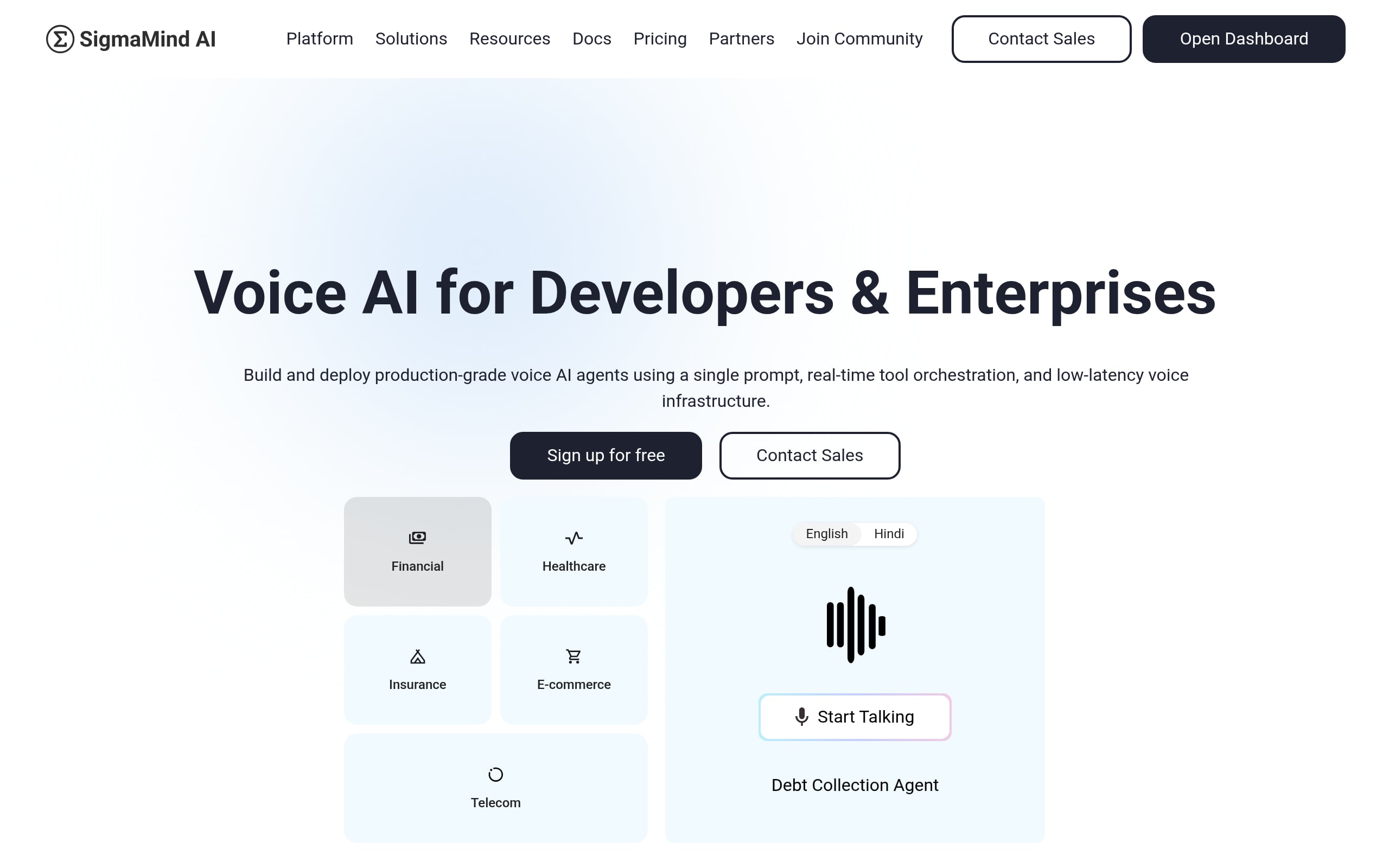
1. SigmaMind AI
SigmaMind AI brings an enterprise-grade, LLM-driven core to voice and chat, specializing in ultra-low-latency conversations that feel human while handling complex, multi-turn tasks end to end. The Voice AI platform consolidates telephony and digital channels under a single orchestration layer so routing, history, and actions stay consistent at scale.
Best for: Mid-to-large enterprise call centers operating in high-volume, high-stakes environments.
- Automation: Autonomous voice agents, omnichannel bots, and intent-based routing with unified context.
- Integrations: Native SIP/PSTN; connectors for Salesforce, Zendesk, and Shopify.
- Developer surface: REST APIs, webhooks, RAG evaluation tools, and testing sandboxes.
- Performance: sub-800ms voice-to-voice response times built for high-concurrency voice traffic.
- Security/compliance: SOC 2 Type II, AES-256 encryption.
- Best Voice AI for lead generation and lead qualification
Pricing at a glance: Model: Usage or outcome-based | From: Custom quotes | Trial/POC: Paid pilots | Transparency: Sales-led enterprise engagement.
- Pros: Human-like latency that reduces call abandonment; consistent context across voice and chat; granular, real-time sentiment analytics for live operations.
- Watch-outs: Requires significant data curation to reach peak accuracy; complex workflows need engineering support; infrastructure costs may be high for smaller teams.
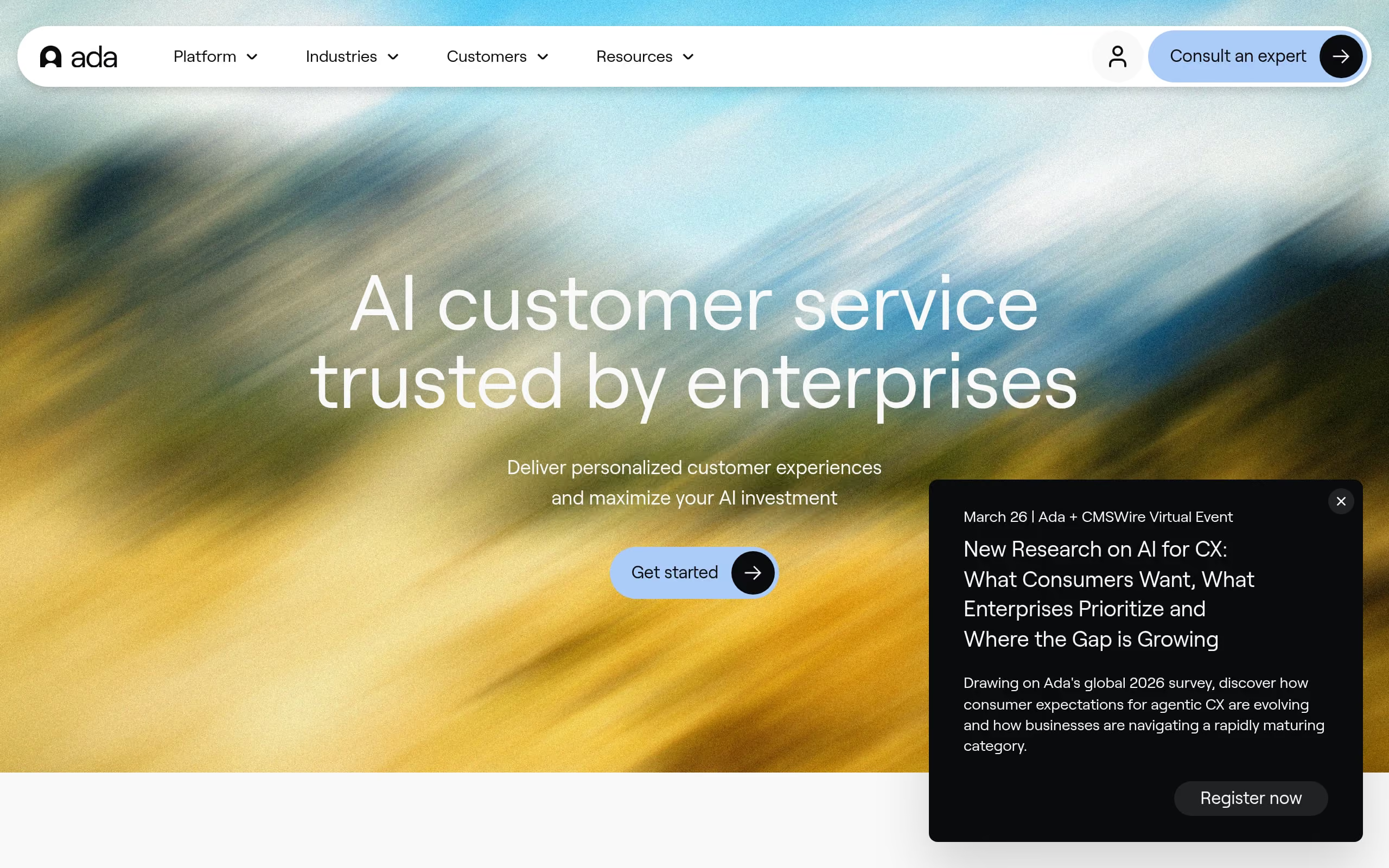
2. Ada
Ada reframes deflection as automated resolution, using its Reasoning Engine to stitch together multi-step answers and actions directly from your stack. It’s built for rich chat experiences that plug into existing tools and move customers from question to completion.
Best for: Enterprise B2C brands focused on measurable automation outcomes over simple FAQ handling.
- Automation: Generative reasoning, proactive messaging, and intelligent routing.
- Integrations: Salesforce, Zendesk, Shopify, Genesys.
- Developer surface: Full APIs/SDKs, sandbox environments, and configurable data blocks for retrieval.
- Performance: offers 99.9% uptime.
- Security/compliance: SOC 2, HIPAA, GDPR, PII redaction.
Pricing at a glance: Model: Outcome-based | From: Mid–five-figure annual contracts | Trial/POC: Yes | Transparency: Sales-led.
- Pros: Fast time-to-value with LLM-driven setup; strong resolution analytics to track ROI.
- Watch-outs: Requires robust knowledge content; outcome billing can create variable month-to-month costs; best as a central automation layer rather than a point tool.
3. Ultimate.ai
Ultimate pairs proven NLP with generative answers to automate high-volume support across digital channels, now strengthened by its Zendesk alignment. It’s designed to orchestrate complex, CRM-aware workflows with a clear focus on resolution quality and multilingual reach.
Best for: Global enterprises managing complex operations and deep CRM processes.
- Automation: UltimateGPT generative answers, intent-led dialogs, and structured workflows.
- Integrations: Deep connectors for Zendesk, Salesforce, Freshdesk, and Shopify.
- Developer surface: REST APIs, headless SDKs, webhooks for flexible data fetches.
- Security/compliance: SOC 2 Type II, GDPR, ISO 27001.
Pricing at a glance: Model: Custom platform fee + volume tiers | From: Sales-led | Trial/POC: Enterprise pilots available | Transparency: Sales-led.
- Pros: Excellent multilingual coverage; strong CRM synchronization for transactional tasks; governance and ROI dashboards for leadership visibility.
- Watch-outs: Requires dedicated program ownership; non‑Zendesk shops should validate roadmap; mature builds can take a 15-day onboarding bootcamp to have a virtual agent working.
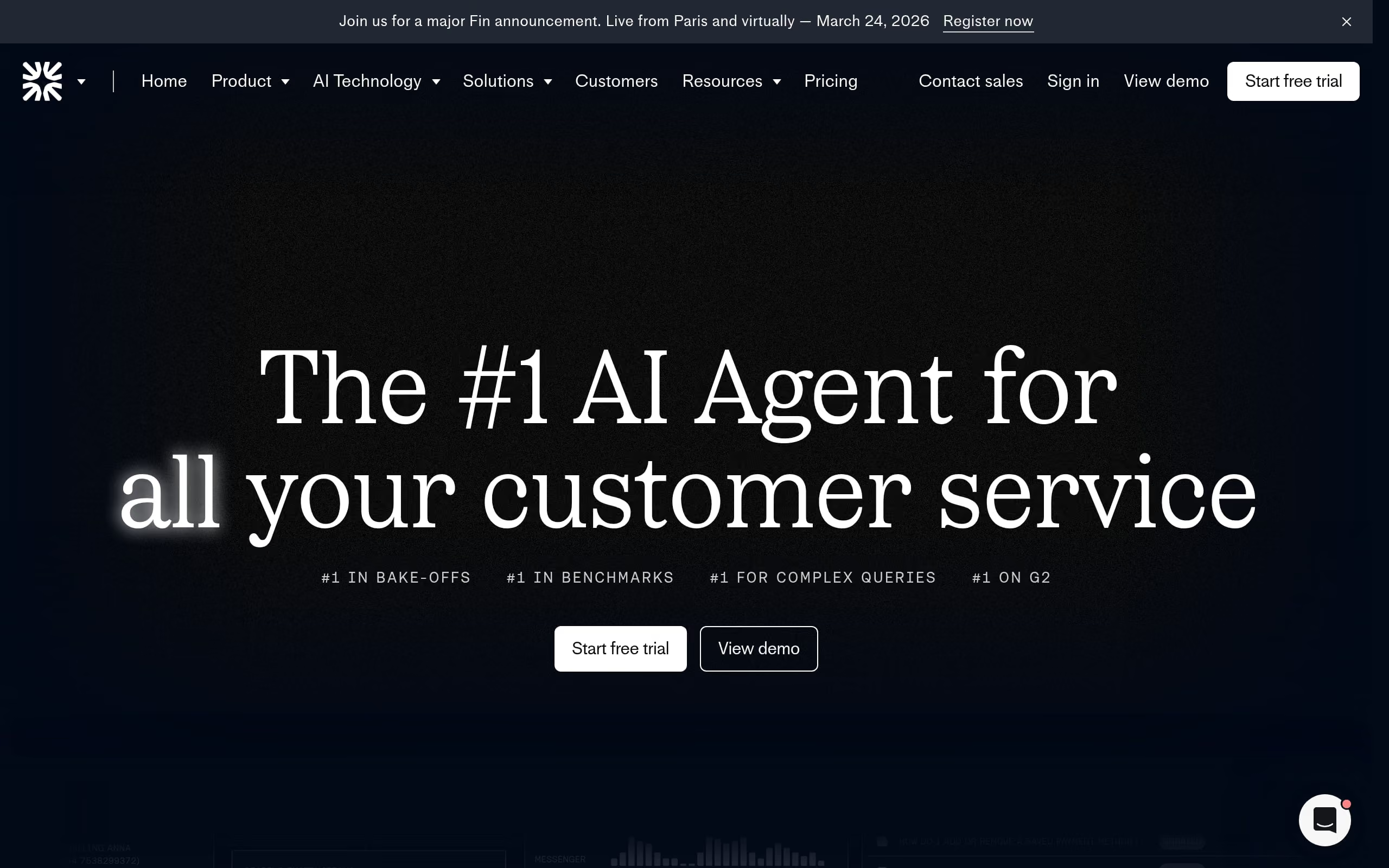
4. Fin (Intercom)
Fin turns your existing documentation into accurate, human-like answers and actions across channels, backed by Intercom’s ecosystem of apps, routing, and agent tools. It’s designed for fast setup and unified governance in a familiar support workspace.
Best for: Mid-market to enterprise SaaS teams standardizing on Intercom and prioritizing knowledge-driven automation.
- Automation: AI agent resolutions, agent copilot, logic-based workflows.
- Integrations: Native Salesforce, HubSpot, Zendesk; 400+ App Store apps.
- Developer surface: REST APIs, SDKs, Custom Actions.
- Performance: Global scale with dedicated sandboxes and SLAs.
- Security/compliance: SOC 2, HIPAA, GDPR; PII redaction and data residency options.
Pricing at a glance: Model: Outcome-based | From: $0.99/resolution + $74/month platform | Trial/POC: 14-day | Transparency: Public.
- Pros: Ingests URLs quickly for fast launch; strong accuracy via multi-model orchestration; governance within a single, cohesive UI.
- Watch-outs: Works best inside the Intercom platform; resolution billing can fluctuate; quality hinges on well-structured documentation.
5. Replicant
Replicant replaces brittle IVRs with conversational voice and chat that resolve issues end to end, tying deeply into CRMs and telephony. It focuses on natural pacing and continuity so customers can speak freely and still get things done.
Best for: Large, regulated organizations that need high-accuracy voice automation at scale.
- Automation: Autonomous resolution across voice and chat with robust intent handling.
- Integrations: Salesforce, Zendesk, Genesys, Twilio.
- Developer surface: REST APIs, webhooks, sandbox testing.
- Performance: Sub-second responses with massive concurrency.
- Security/compliance: SOC 2, HIPAA, GDPR, with PII redaction.
Pricing at a glance: Model: Usage or outcome-based | From: Custom enterprise quotes | Trial/POC: Common for ROI validation | Transparency: Sales-led.
- Pros: Natural-sounding voice with rapid responses; unified logic across channels maintains brand consistency.
- Watch-outs: End-to-end automation depends on well-documented internal APIs; economics favor enterprises over SMBs.
6. PolyAI
PolyAI specializes in sophisticated voice assistants that handle real conversations, not just commands, managing accents, interruptions, and context switching with poise. It’s purpose-built for global call centers where natural dialog equals measurable CX wins.
Best for: High-volume, multi-lingual enterprise contact centers focused on voice-first automation.
- Automation: Complex workflows like booking and authentication, with intent-based routing.
- Integrations: Genesys, Salesforce, and direct backend connectivity.
- Developer surface: API-first with webhooks and automated stress tests.
- Performance: 45 languages as standard, sub-second latency.
- Security/compliance: SOC 2, GDPR, HIPAA; PII redaction across regions.
Pricing at a glance: Model: Custom usage or outcome-based | From: Sales-led | Trial/POC: Structured Proof of Value | Transparency: Sales-led.
- Pros: Highly natural conversational flow and paralinguistic handling; vertical starters speed deployment; rich analytics expose friction points.
- Watch-outs: High-touch design and tuning required; voice-centric (web chat not native); proprietary stack may increase lock-in.
7. Cognigy
Cognigy.AI blends low-code orchestration with modern GenAI to modernize legacy contact center stacks, unifying voice and chat under governed automation. It’s engineered for global reliability and deep enterprise control.
Best for: Global enterprises prioritizing large-scale voice automation and stringent GenAI governance.
- Automation: Native voice gateway, multimodal interactions, and Agentic Copilot with RAG.
- Integrations: Salesforce, ServiceNow, and leading CCaaS platforms.
- Developer surface: OpenAPI architecture, Node.js nodes, CLI for CI/CD.
- Performance: High-availability clusters designed for low-latency voice worldwide.
- Security/compliance: SOC 2, HIPAA, GDPR.
Pricing at a glance: Model: Enterprise licensing + volume-based sessions | From: Sales-led | Trial/POC: Free Community Edition + structured pilots | Transparency: Sales-led.
- Pros: Excellent voice latency control; centralized governance fit for multi-bot, multi-region operations.
- Watch-outs: Depth creates a steep learning curve; reliable outcomes demand careful prompt/NLU tuning.
8. Kore.ai
Kore.ai’s Experience Optimization platform equips teams to build advanced virtual assistants across channels while keeping security and compliance front and center. It balances robust orchestration with tools for agent assist and contact center operations.
Best for: Large enterprises in finance/healthcare needing multi-lingual, multi-turn assistants with strong guardrails.
- Automation: Multi-intent bots, SmartAssist contact centers, AI-native AgentAssist.
- Integrations: Salesforce, ServiceNow, and major telephony/CCaaS providers.
- Developer surface: REST APIs, SDKs, GXO for secure LLM orchestration; regression testing and staging.
- Performance: Enterprise-grade scaling with SLAs.
- Security/compliance: SOC 2, HIPAA, GDPR.
Pricing at a glance: Model: Usage-based + annual licensing | From: ~$.20/interaction | Trial/POC: Free developer trial | Transparency: Sales-led for enterprise.
- Pros: Dual-NLP approach boosts intent accuracy; build once, deploy to 30+ channels.
- Watch-outs: Steep learning curve; ongoing tuning needed to sustain performance.
9. Boost.ai
Boost.ai blends mature NLU with LLMs to automate complex inquiries while staying grounded in verified data. It’s architected for regulated industries where confidence, auditability, and voice readiness matter.
Best for: Large enterprises in banking, insurance, and other regulated sectors.
- Automation: Virtual agents with self-learning AI for resolution and routing.
- Integrations: Salesforce, Zendesk, Genesys, Five9; SIP/RTP telephony.
- Developer surface: REST APIs, SDKs, Model Central, sandbox, webhooks.
- Performance: 99.5% uptime (Chat API endpoint in production).
- Security/compliance: SOC 2 Type II, ISO 27001, HIPAA-ready.
Pricing at a glance: Model: Custom enterprise pricing based on volume | From: Not published | Trial/POC: Structured engagements | Transparency: Sales-led.
- Pros: Hybrid NLU drives high deflection while limiting hallucinations; strong multilingual reach; clear governance for compliance teams.
- Watch-outs: Needs dedicated AI training/operations roles; complex workflow setup; migration effort due to proprietary intent models.
10. Forethought
Forethought unifies self-serve, triage, and agent assist into end-to-end automation using a multi-agent architecture. With strong CRM integrations and historical learning, it focuses on accurate resolutions and early issue detection.
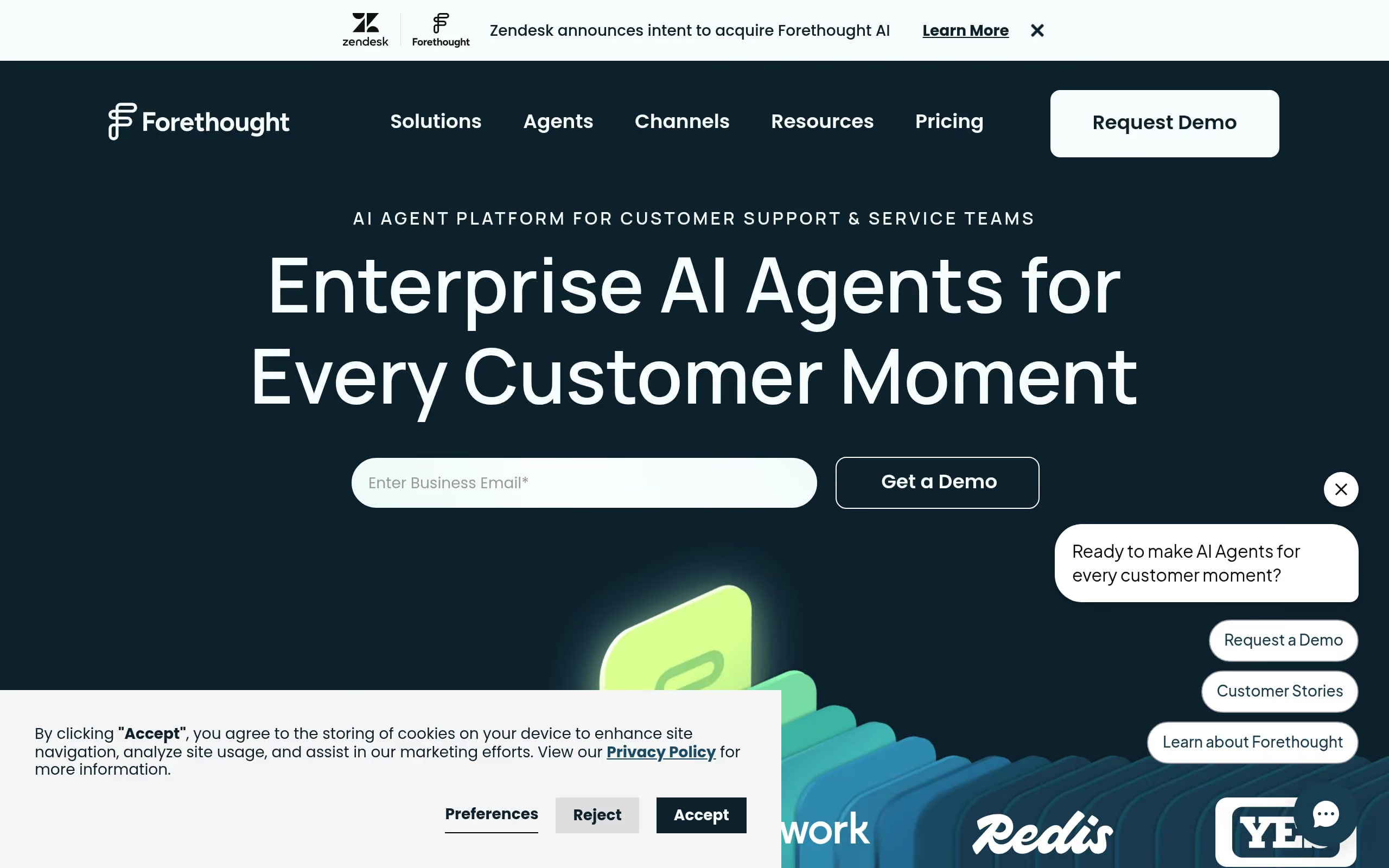
Best for: Mid-market and enterprise SaaS/fintech teams seeking measurable reductions in ticket volume.
- Automation: Conversational AI, intelligent routing, agent copilot, gap discovery.
- Integrations: Salesforce, Zendesk, ServiceNow; Slack for collaboration.
- Developer surface: Agent SDK, Headless API, MCP support, sandbox testing.
- Performance: Enterprise SLAs, 99.9%+ uptime, sub-second inference across 1B+ interactions.
- Security/compliance: SOC 2 Type II, HIPAA, GDPR, automated PII redaction.
Pricing at a glance: Model: Hybrid outcome-based (platform + pay-per-resolution) | From: ~$40k–$160k+/yr | Trial/POC: Enterprise POCs | Transparency: Sales-led.
- Pros: Leverages historical tickets for rapid accuracy gains; proactive discovery flags emerging issues before spikes.
- Watch-outs: 6–8 weeks typical data cleanup/implementation; potential Zendesk lock-in post-acquisition.
11. Zendesk Answer Bot
Answer Bot puts Zendesk’s native AI to work, surfacing help center content and summarizing answers across messaging and email. It’s the fastest on-ramp to automation for teams already invested in the Zendesk suite.
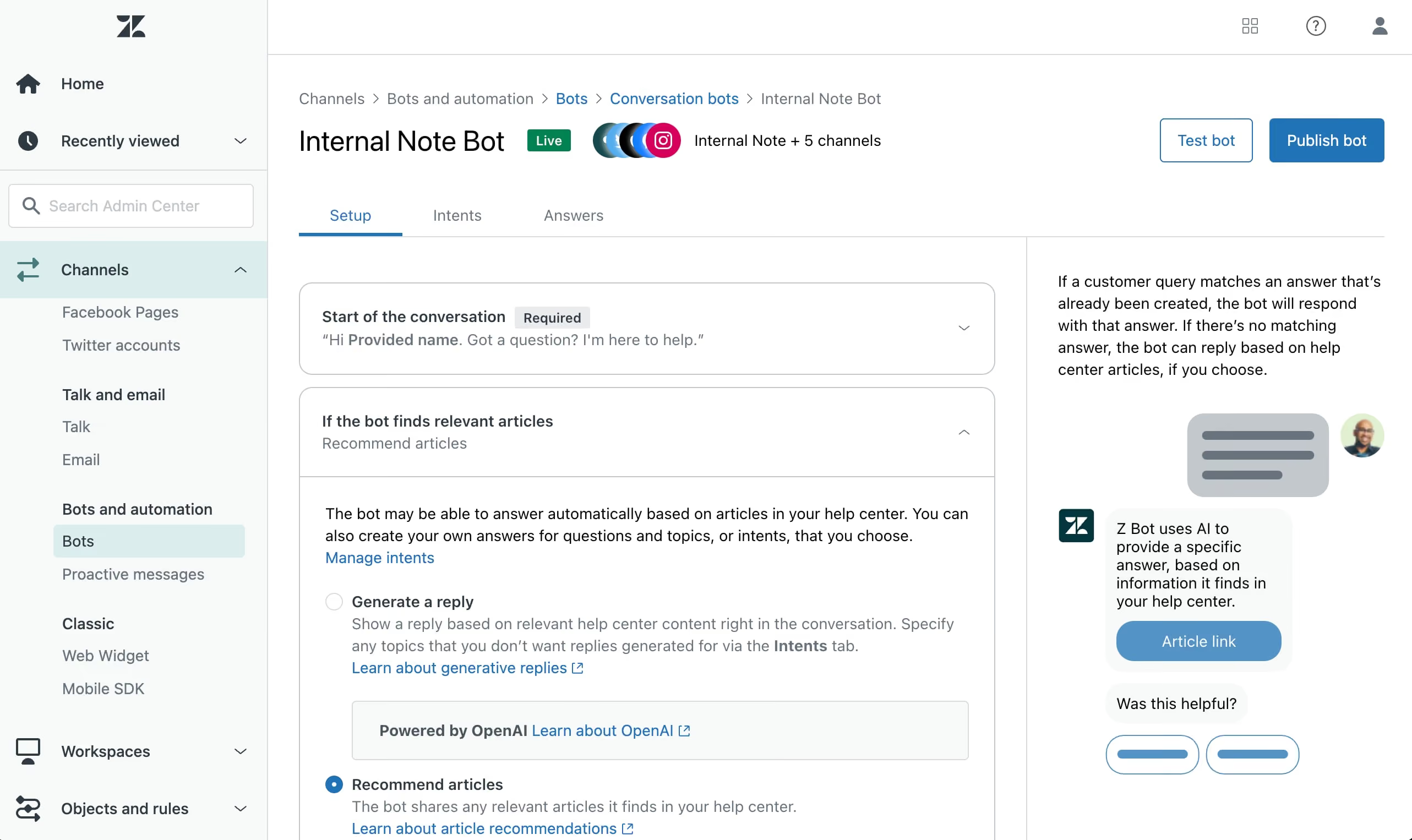
Best for: Mid-market Zendesk customers seeking low-friction ticket deflection.
- Automation: No-code flows, intent detection, generative summaries.
- Integrations: Tight with Support, Guide, Explore; Marketplace apps (e.g., Salesforce, Shopify).
- Developer surface: Sunshine Conversations APIs, webhooks, sandbox.
- Performance: Global AWS footprint with 40+ languages.
- Security/compliance: GDPR, SOC 2 Type II, HIPAA.
Pricing at a glance: Model: Seat/usage | From: $50/agent/month (Advanced AI add-on) | Trial/POC: 14-day Suite trial | Transparency: Public for Suite, sales-led for enterprise add-ons.
- Pros: Deploys quickly using existing knowledge; unified analytics in Explore; effortless agent handoff with context.
- Watch-outs: Dependent on documentation quality; ecosystem lock-in; advanced genAI features may require pricey tiers/add-ons.
12. Google Dialogflow CX
Dialogflow CX offers a powerful state-machine designer that brings order to sprawling, multi-turn conversations across voice and chat. With Vertex AI at its back, it fuses classic NLU with generative behaviors for richer, more adaptable experiences.
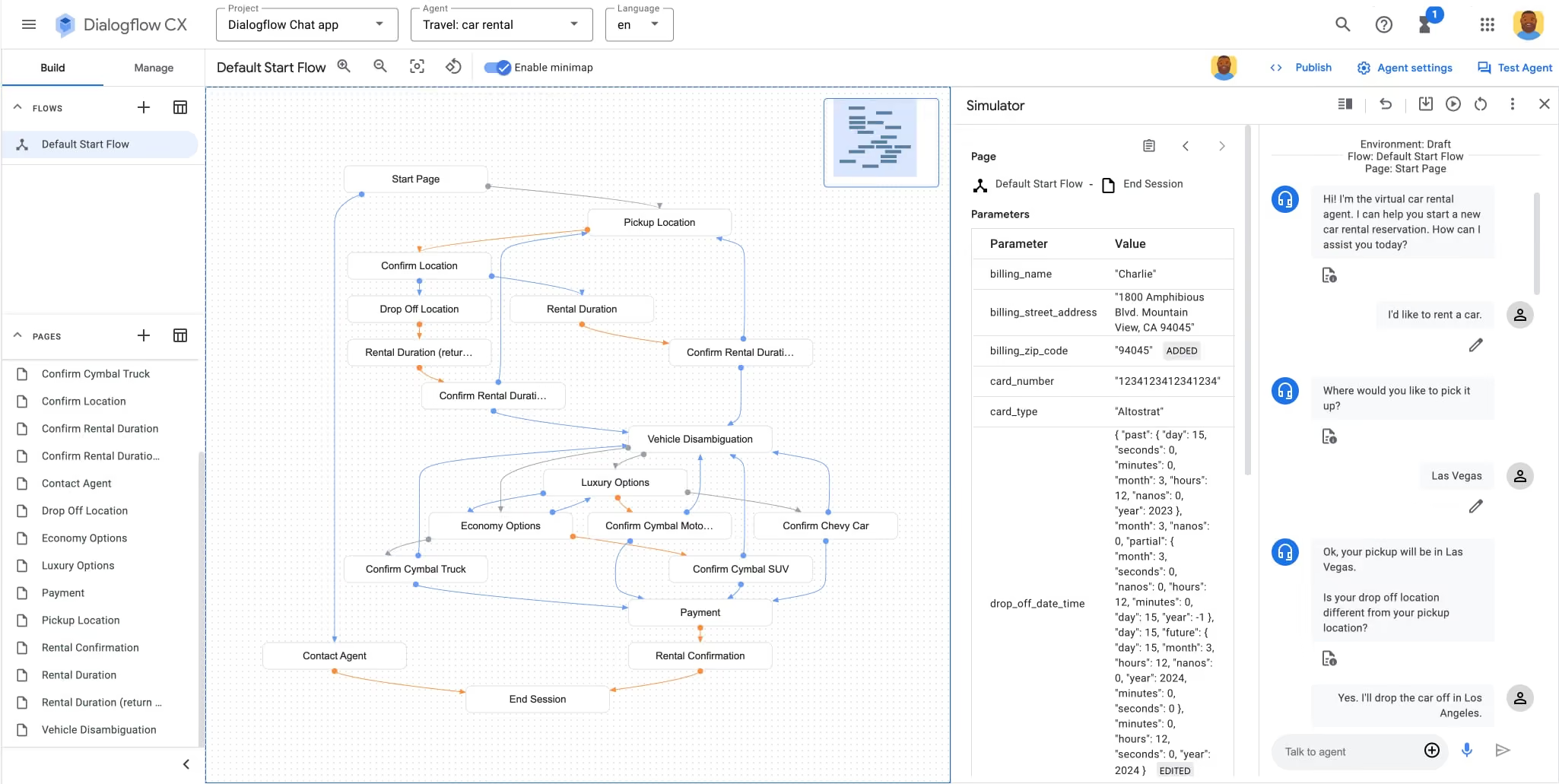
Best for: Enterprises building sophisticated omnichannel IVR and complex dialog flows.
- Automation: Visual flow designer with generative agent capabilities.
- Integrations: Telephony (Genesys, Twilio), CRMs (Salesforce, Zendesk), webhooks.
- Developer surface: REST/gRPC APIs, client SDKs, CI/CD-friendly versioning.
- Performance: Global scale, high throughput.
- Security/compliance: HIPAA, SOC 2, PCI DSS; enterprise encryption.
Pricing at a glance: Model: Usage-based | From: ~$20 per 100 sessions (+$600 credit) | Trial/POC: Yes | Transparency: Public (platform commitments via sales).
- Pros: Exceptional concurrency and a clear visual map for auditing logic; rapid access to Vertex AI innovations.
- Watch-outs: Significant learning curve and conversation design expertise required; strong GCP lock-in.
13. IBM Watson Assistant
Watson Assistant combines robust NLP with LLM capabilities and a flexible builder to automate enterprise-grade experiences across web, mobile, and voice. It’s engineered for complex back-end orchestration and strict data controls.
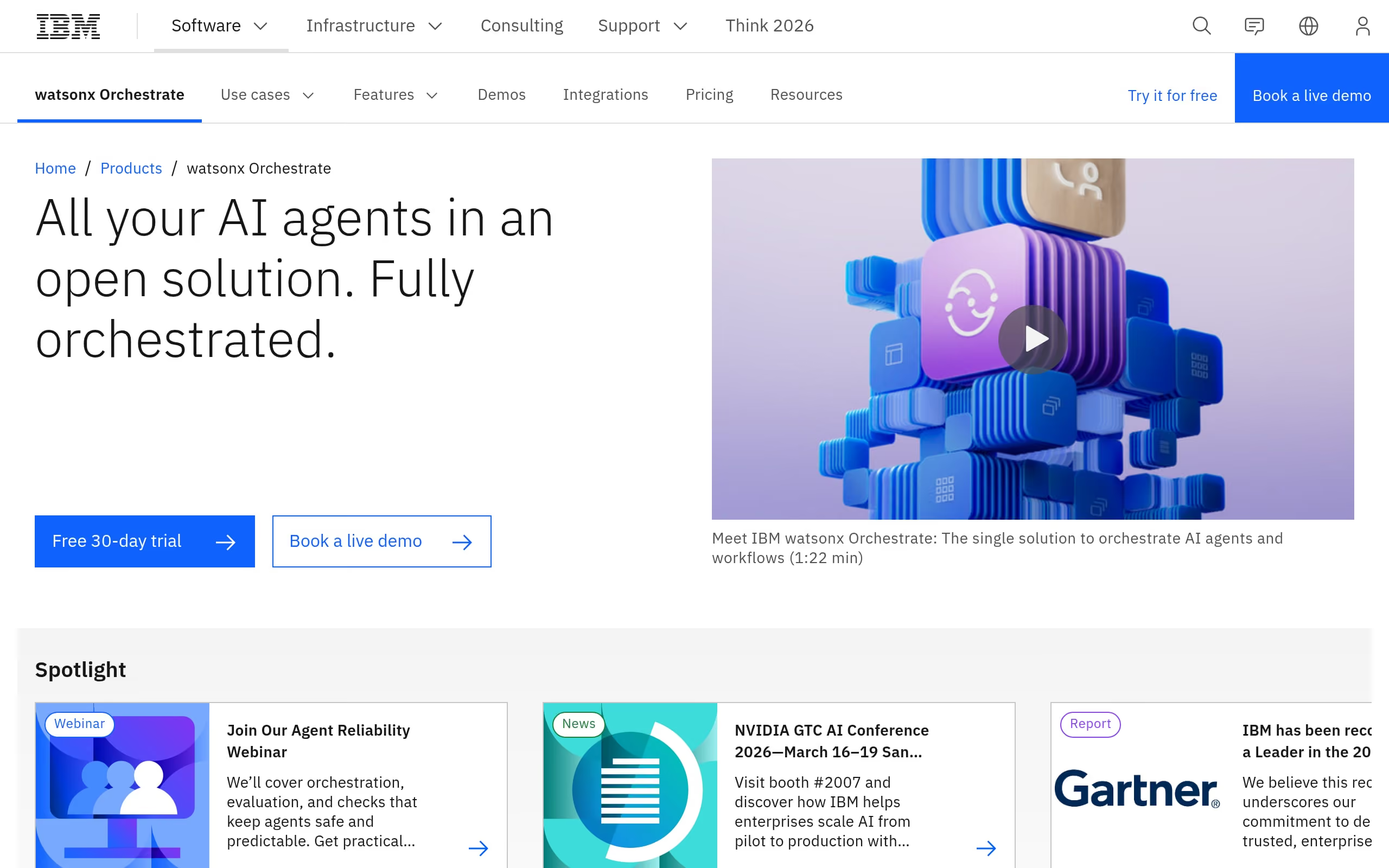
Best for: Large, regulated enterprises needing secure, multi-channel automation at scale.
- Automation: Intent-driven dialogs, RAG-powered Search Skills, real-time Agent Guide.
- Integrations: Salesforce, Zendesk, ServiceNow; SIP/Twilio telephony.
- Developer surface: Extensive REST APIs, Python/Node SDKs, webhooks, versioning.
- Performance: Global infrastructure with 99.9% uptime and low latency.
- Security/compliance: HIPAA-ready, SOC 2, ISO 27001; hybrid cloud options.
Pricing at a glance: Model: Usage-based + MAUs | From: ~$140/month | Trial/POC: Free Lite plan | Transparency: Public with enterprise tiers via sales.
- Pros: Strong NLU accuracy and privacy controls; clean bridge to watsonx AI.
- Watch-outs: Complex integrations can demand heavy engineering; voice scaling can get costly; vendor lock-in to consider.
14. Google Cloud Contact Center AI
Google Cloud CCAI modernizes legacy telephony with Dialogflow CX at the core, delivering conversational IVR and real-time agent coaching. It’s a modular approach that lets you adopt what you need without ripping and replacing everything at once.
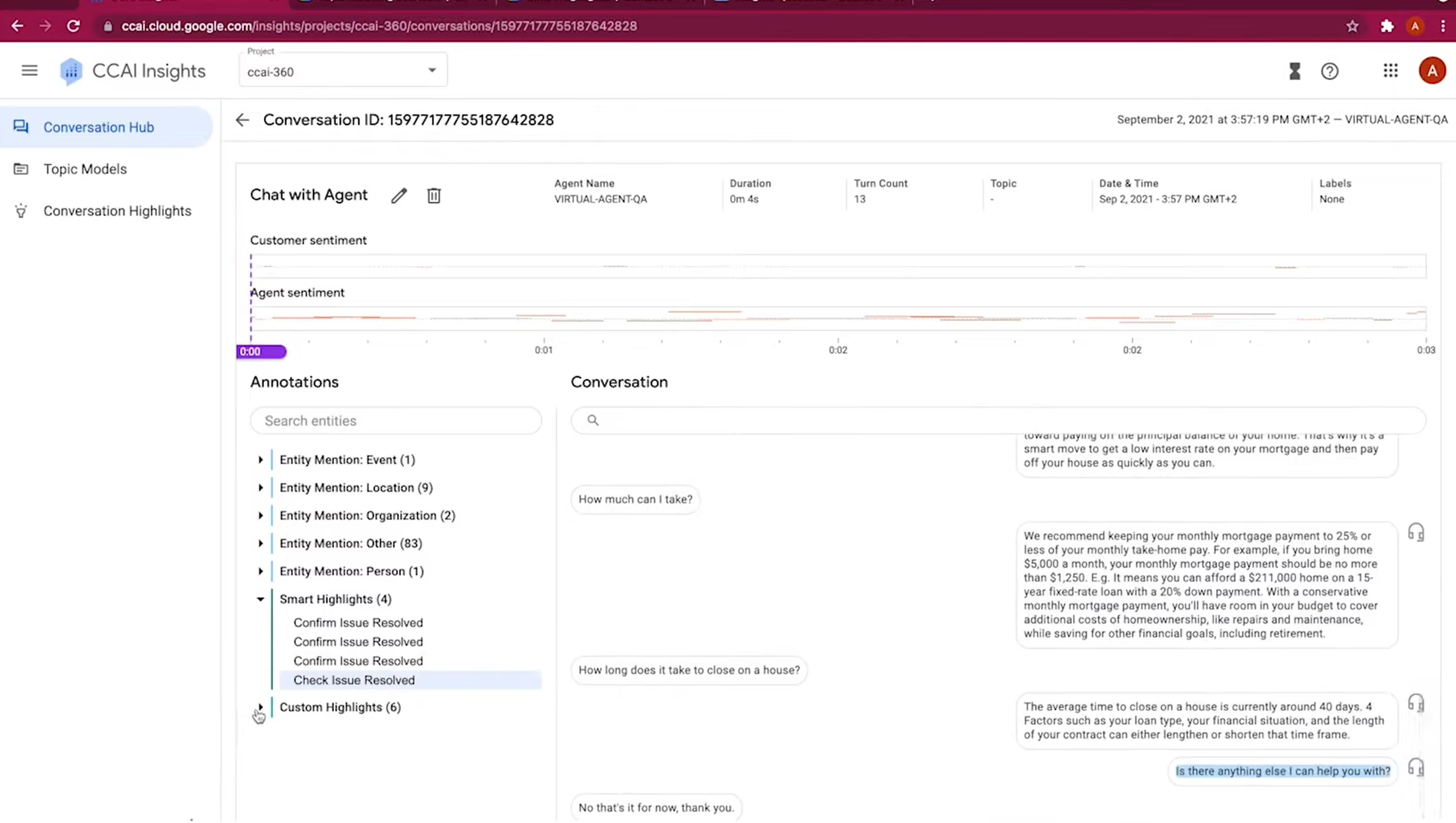
Best for: Enterprises standardizing on Google for multi-turn voice and digital automation.
- Automation: Dialogflow CX for bots, real-time Agent Assist for coaching and summaries.
- Integrations: Salesforce, Zendesk, and major telephony stacks (Genesys, Avaya).
- Developer surface: REST/gRPC APIs, multi-language SDKs, flow simulators.
- Performance: Sub-second STT/TTS on Google’s infrastructure.
- Security/compliance: HIPAA-ready, SOC 2, real-time PII redaction.
Pricing at a glance: Model: Usage-based | From: ~$0.60/chat session | Trial/POC: Yes ($300 GCP credit) | Transparency: Public for Dialogflow, sales-led for platform bundles.
- Pros: Strong NLU for complex intent switching; Vertex AI integration for advanced LLM features and omnichannel consistency.
- Watch-outs: Specialized skills needed; usage pricing can be volatile at very high volumes.
15. Microsoft Azure AI Bot Service
Azure’s Bot Service gives developers deep control over multi-turn bots with enterprise-grade security and global reach. It’s a natural fit where Microsoft 365, Dynamics, and Teams are already strategic anchors.
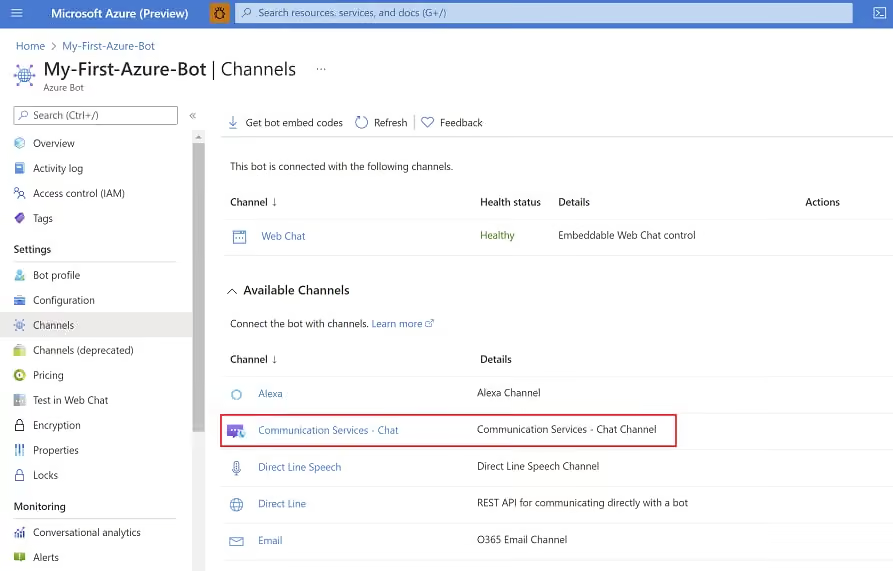
Best for: Large enterprises needing compliant, customizable conversational AI with strict data residency.
- Automation: Multi-turn dialogs, intent recognition, AI-assisted routing.
- Integrations: Microsoft Teams, Slack, Dynamics 365, Power Platform.
- Developer surface: Rich SDKs (Python/Java), Direct Line API, extensible toolchain.
- Performance: Global Azure footprint with 99.9% SLA and low latency.
- Security/compliance: Enterprise SOC, HIPAA, Entra ID SSO.
Pricing at a glance: Model: Consumption-based | From: Free tier, then ~$0.50/1,000 messages | Trial/POC: $200 Azure credit | Transparency: Public.
- Pros: Massive scalability; seamless interoperability with Microsoft ecosystem.
- Watch-outs: Steep technical overhead and multi-service cost modeling; can overwhelm non-technical managers.
Automated Customer Service Implementation and Pilots
The most effective way to begin with customer service automation is to start with a pilot program. Don’t try to automate everything at once.
Steps for a Successful Pilot
- Identify the Right Use Case: Analyze your support tickets and call logs. Find a high volume, low complexity issue. Good candidates include “Where is my order?”, “What is your return policy?”, or “How do I reset my password?”.
- Define Success Metrics: Clearly state your goals. Are you trying to reduce call volume by 15%? Improve first contact resolution? Set measurable targets.
- Build and Test: Use a platform that allows for rapid prototyping. Build your agent, and then test it rigorously with internal teams in the SigmaMind Playground. Gather feedback and iterate.
- Launch and Monitor: Deploy the agent on a specific channel and closely monitor the analytics and customer feedback. Be prepared to make adjustments based on real world performance.
A successful pilot provides the data and internal buy in needed to expand your customer service automation strategy with confidence.
How much does customer service automation cost?
Pricing varies widely. Some platforms charge a flat monthly fee per user, while others use a consumption based model. Pay as you go pricing, where you pay for the specific resources used (like telephony, STT, and LLM tokens), offers the most transparency and scalability.
Measuring Success and ROI of AI Agents
To justify and scale your automation efforts, you must track the right Key Performance Indicators (KPIs). The goal is to measure both efficiency gains and the impact on customer experience.
Key Metrics to Track
- Containment Rate: What percentage of inquiries are fully resolved by the AI agent without needing to be escalated to a human?
- First Contact Resolution (FCR): How often are customer issues solved during the very first interaction?
- Average Handle Time (AHT): For issues that are escalated, AHT for human agents should decrease because the AI has already gathered initial information.
- Cost Per Interaction: Calculate the total cost of an automated interaction versus a human led one. This is a core component of your ROI calculation.
- Customer Satisfaction (CSAT): After an automated interaction, survey customers to gauge their satisfaction with the experience.
Common Pitfalls to Avoid
While the benefits of customer service automation are immense, a poor implementation can frustrate customers and damage your brand.
Avoid These Mistakes
- Automating Too Much, Too Soon: Trying to solve highly emotional or complex issues with automation is a recipe for disaster. Focus on simple, transactional queries first.
- Creating Dead Ends: Always provide a clear and easy path to escalate to a human agent. Trapping a frustrated customer in an automated loop is the worst possible experience.
- Ignoring Analytics: Your automation is not a “set it and forget it” tool. Continuously analyze conversations to find where the AI is failing and use that data to improve its performance.
- Unnatural Voice Experiences: For voice agents, using low quality TTS or having high latency can make the interaction awkward and ineffective. Investing in production grade voice infrastructure is critical.
AI Customer Service Trends and Outlook
The field of customer service automation is evolving constantly. We can expect several key trends to become mainstream.
We will see a shift from reactive to proactive support, where AI agents anticipate customer needs and reach out with solutions before a problem even arises. Hyper personalization will become the norm, with AI using customer data to tailor every conversation.
Furthermore, generative AI will empower human agents with real time coaching and information, transforming them into super agents. The future of customer service is a powerful collaboration between humans and AI, each focusing on what they do best. Get to know the top 10 Conversational AI platforms to be informed.
Customer service automation is a foundational element of a modern, scalable, and customer centric business strategy. By intelligently automating routine inquiries, companies can provide the instant, 24/7 support that customers expect while empowering human agents to tackle more meaningful challenges. The key is to choose a flexible, developer friendly platform that allows you to build, test, and deploy intelligent agents across all channels. As you plan for the future, embracing a robust strategy for customer service automation will be critical for growth and success.
Ready to build the next generation of conversational AI? Get personal consulting in a free SigmaMind demo call.
Evolve with Sigma Mind AI
Build, launch & scale AI agents
Related Blogs
Ready to transform your call center?

More Conversations.
Less Manual Work.

Building from San Francisco, CA